Build real apps on top of your data
MindooDB Apps are real web applications that run inside Haven under strict permissions. They can be externally hosted or bundled into Haven itself. Describe the app your team is missing and the App Builder writes, publishes, and installs it for you - no coding required. Or build it by hand with the MindooDB App SDK, using the same context files and example repos the Haven team publishes.
What a MindooDB App is
A MindooDB App is a web application that talks to Haven through a secure bridge. It can ship as a small tile inside a workspace page or take over a full browser tab - the API is the same.
- Runs inside Haven - the app is rendered in an iframe or an opened window and communicates with Haven over a
MessagePortbridge. - Sees what Haven grants - databases, views, and operations are all capability-based.
- Online or offline - Haven-hosted bundles keep working when the network does not.
- Works across tenants - a single app can consume data from multiple databases or tenants if granted.
Externally hosted or Haven-hosted
Choose the delivery model that fits your team and threat model:
Deploy as a standard static web app on your own origin. Haven embeds it in a sandboxed iframe and connects via the SDK bridge.
- Use your existing CI/CD, CDN, and auth story.
- Great for early development and public demos.
- Requires network reachability to the hosting origin.
Import the app as a bundle into Haven. Haven's service worker serves it locally, which keeps the app usable offline and lets Haven enforce a stricter opaque-origin sandbox.
- Runs offline - perfect for field use and secure environments.
- Stricter sandbox than an external origin.
- First-class fit for Haven Enterprise in-house app stores.
Haven decides what each app can see
- Read / create / update / delete per database.
- History access for revision listing and time-travel.
- Attachment operations including chunked streaming reads and writes.
- View creation - let the app define its own virtual views or restrict it to Haven-configured views.
- No ambient authority - apps cannot reach Haven storage, cookies, or other apps without an explicit grant.
See the full isolation design in Security & Privacy - sandboxing.
Everything you need to build a real app
The SDK is a typed TypeScript package that wraps the bridge protocol and exposes ergonomic APIs for the things apps actually need.
- Runtime mode, user info, and viewport.
- Current light or dark theme from Haven so the app can match on first paint.
- Mapped databases, views, tenant context, and launch parameters.
- Live events: when the user toggles Haven's theme or resizes the viewport, every embedded app receives the update and can re-render instantly.
- Host-rendered menus when overlays need to escape iframe bounds.
- Host-owned drag across iframe borders: one app copies typed payloads - plain text, Markdown, JSON, or a document reference - into another app that is visible at the same time.
- CRUD with filtered, projected, and metadata-only listing.
- Summary-backed ad-hoc queries with declarative filters, dynamic sorting, and paging.
- Full-text search integrated into queries: relevance-ranked matching over document text, rich-text content, and attachment text.
- Live queries: the host pushes new results whenever the outcome actually changes.
- Ad-hoc views created on the fly to categorize and aggregate query results - no upfront view configuration in Haven needed.
- Deleted-document visibility for sync and cleanup flows.
- Changefeed cursor checkpoints for incremental sync and indexes.
- Revision listing and loading snapshots at any timestamp.
- List, upload, download, and remove attachments.
- Chunked binary streaming for large files.
- Preview support for images, PDFs, Markdown, text, Office, audio, and video.
- Preview also works from historical snapshots.
- Categorized, sorted, filtered, and aggregated queries - think pivot table.
- Haven-configured views and app-defined multi-database views.
- Summary-first index builds - views are fed from the persistent summary buffer without materializing documents.
- Typed view-language builder for formulas, filters, and derived columns.
- Stateful navigator with paging, traversal, selection, and range lookups.
- Host-pushed live updates via
onDidUpdate- no polling required.
- App-test helpers and bridge protocol test helpers in
mindoodb-app-sdk/testing. - Local development against a running Haven instance with hot reload.
- Deploy as a standard static web app or as a Haven-hosted bundle.
Two tabs: a minimal launch + read snippet, and a copy-pasteable AI prompt you can feed to your agent of choice.
Install apps straight from Haven's App Store
Haven ships with a built-in App Store, which you open from the Haven App Store tile on the workspace Start page. Browse the catalog as a visual grid of app tiles, open an app to see its full description, version, and screenshot gallery, and install it with one click - Haven asks for the target tenant and lets you rename the app on the way in.
- Rich catalog - every app comes with an icon, localized description, screenshots, and version info.
- One-click install - pick a tenant, optionally adjust the application name, done. Permissions are preconfigured per app.
- Your own store - custom Haven deployments can point at a self-hosted app store serving the same folder structure, so enterprises curate exactly which apps their users see. A natural fit for Haven Enterprise.
Describe the app, and the App Builder ships it
The App Builder is itself an app in Haven's App Store. You give it a name, one sentence about the purpose, and a brief describing what the app should do. It sets up the project, puts it on the web, has an AI agent write it, and hands the finished app back to Haven for installation. What comes out is not a throwaway prototype: it is an ordinary MindooDB App with its own source code, free to use every platform feature, and yours to extend for as long as you like.
- Your project is created from the official starter template, which already carries the SDK documentation the AI needs to write a real Haven app.
- The app gets its own web address, with hosting that redeploys itself whenever the code changes.
- An AI agent picks up your brief and builds the app, publishing each step as it goes.
- Haven installs the finished app. You approve it in Haven's own dialog and grant it databases like any other app.
- GitHub and Cloudflare connect with a click, on their own consent screens. There is no account ID or token to look up.
- A Cursor API key for the AI agent. Without one the app is still created and published, just not written for you.
Nine apps to learn from
Mindoo publishes MindooDB Apps you can study or install. Five are first-party productivity apps you can use in Haven today (Vega, TodoManager, TeamEdit for collaborative markdown and Word documents, TeamSketchbook for collaborative hand drawing, and the Teacher's Desk workspace for teachers), one is an open-source reference for the SDK's granular editing APIs (TeamGrid for collaborative spreadsheets with formulas, charts, and Virtual View Sheets), one is a beautiful responsive weather tile that doubles as a reference for the SDK's UX surface, and one is a guided tour of the SDK you can fork as the starting point for your own app. The last one is the App Builder that creates new apps for you.
Collaborative mind mapping, idea generation, and project planning - the same tree-structured nodes render as a Mindmap, a Kanban board, a Gantt chart, or a spreadsheet, with task fields (assignee, start/end dates, priority, status, effort, and cost), tags, and integrated full-text search. The spreadsheet brings around 280 Excel-compatible functions and charts and can write your edits back to the nodes, and time travel opens the plan as it stood on an earlier date. Built on MindooDB's end-to-end encrypted sync.
Collaborative editor for markdown and Word documents. Several people on several devices can edit the same file at once - including .docx, through a collaborative web editor for Word's own format, so no Word licence is needed. Saves merge cleanly via MindooDB's Automerge text CRDT under the hood, and it ships attachment-backed images and a Milkdown WYSIWYG editor.
Collaborative spreadsheet built on the SDK's granular JSON patch API. Around 280 Excel-compatible formula functions, Column, Bar, Line, and Pie charts, XLSX file and clipboard round-trip, and spreadsheet templates - all on a stable-ID document model so concurrent row, column, and cell edits across laptops and phones merge cleanly. The headline feature is Virtual View Sheets: drop any Haven Virtual View, including views that combine private, work, and partner-tenant data, into a worksheet as ordinary cells you can write formulas and draw charts over.
A collaborative sketchbook and infinite canvas for teams: sketch freely, annotate imported PDFs or GoodNotes notebooks, present with a laser pointer, and compare any two page revisions side by side or with a reveal slider. Sticky notes, paper styles, pressure-sensitive pens, and tiled canvas printing for wall-sized posters — with every stroke merging live across devices so nobody overwrites anyone else's work. Works fully offline in the field, then syncs when you reconnect.
A digital workspace that brings a teacher's whole day together in one place: timetable and calendar without duplicate data entry, lesson planning and documentation, materials with OCR search, class registers with seating plans, a flexible grade book, tasks, and hand-written notes - encrypted, offline-capable, and conflict-free across devices.
A Covey-style four-quadrant task board for personal and team todos: organise by importance and urgency, work through quadrants in priority order, and drag tasks across desktop, tablet, and phone layouts. Light and dark themes match Haven, with local-first editing and real-time sync so everyone stays on the same list without overwriting each other.
iOS-Weather-style forecast tile for one or more locations. A swipeable glass card over a full-bleed photographic background adapts to the tile size Haven reports - narrow tiles show a single location with dots, wider tiles show 2-4 at once. Uses the keyless Open-Meteo APIs so no secrets ever leave the sandbox. Great reference for launch parameters, viewport events, and responsive embedding.
Reference app that demonstrates the SDK surface - launch context, documents, attachments, views. Fork it as the starting point for your own app.
Describe the app your team is missing - an AI agent writes it, publishes it to the web, and Haven installs it. Creates the GitHub repository, the Cloudflare hosting, and the deployment pipeline for you. See how it works.
Screenshot gallery
See the demo apps running in Haven
Browse the apps as they run inside Haven - Vega with its mind map, Kanban, Gantt, and spreadsheet views, TodoManager, the Teacher's Desk workspace for teachers, the TeamEdit collaborative editor for markdown and Word documents, the TeamGrid collaborative spreadsheet with charts and Virtual View Sheets, the TeamSketchbook collaborative hand-drawing app, and the responsive Weather tile on iPhone.
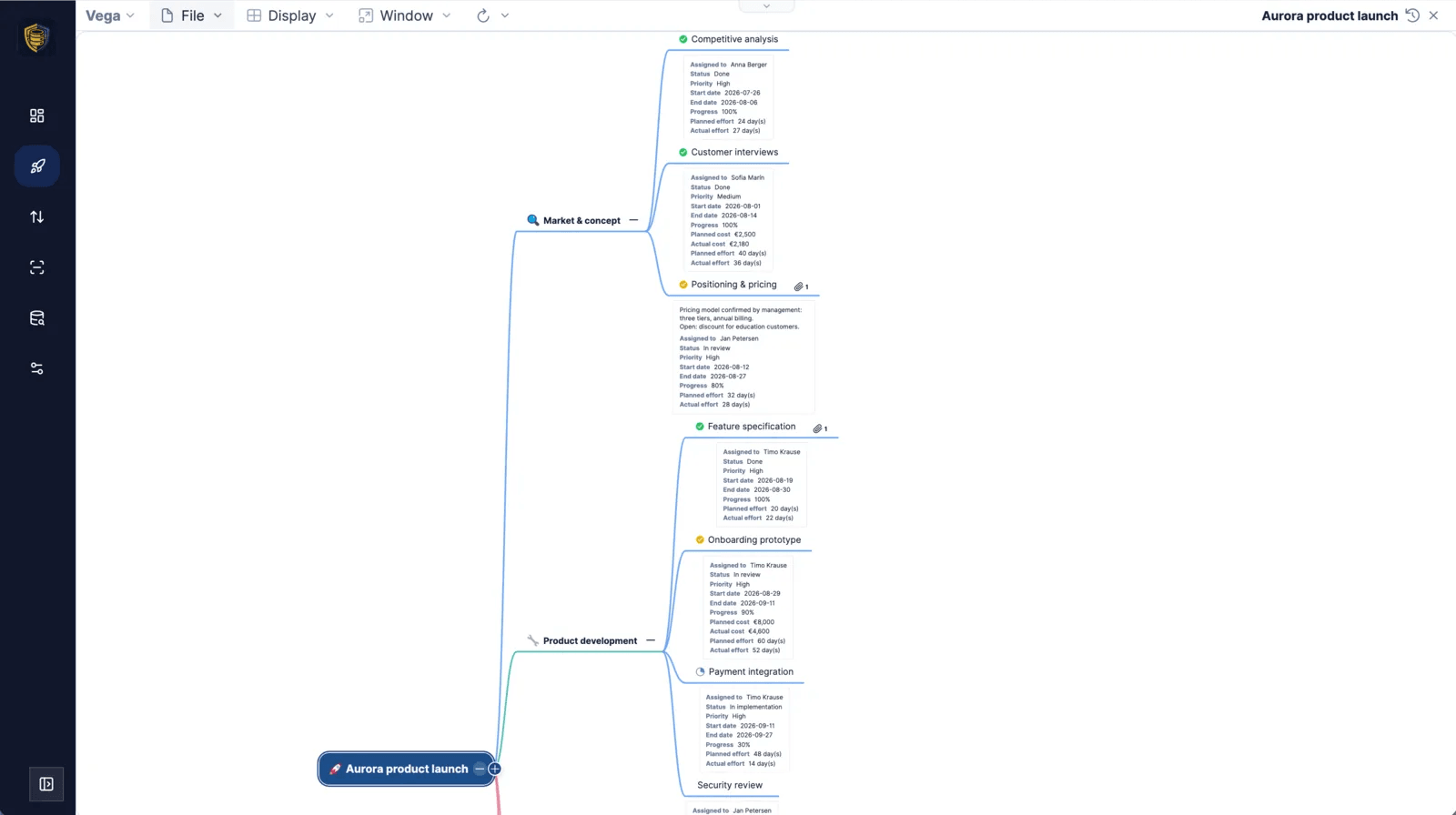
A mind map where every node carries its task data: assignee, status, priority, dates, progress, effort and cost.
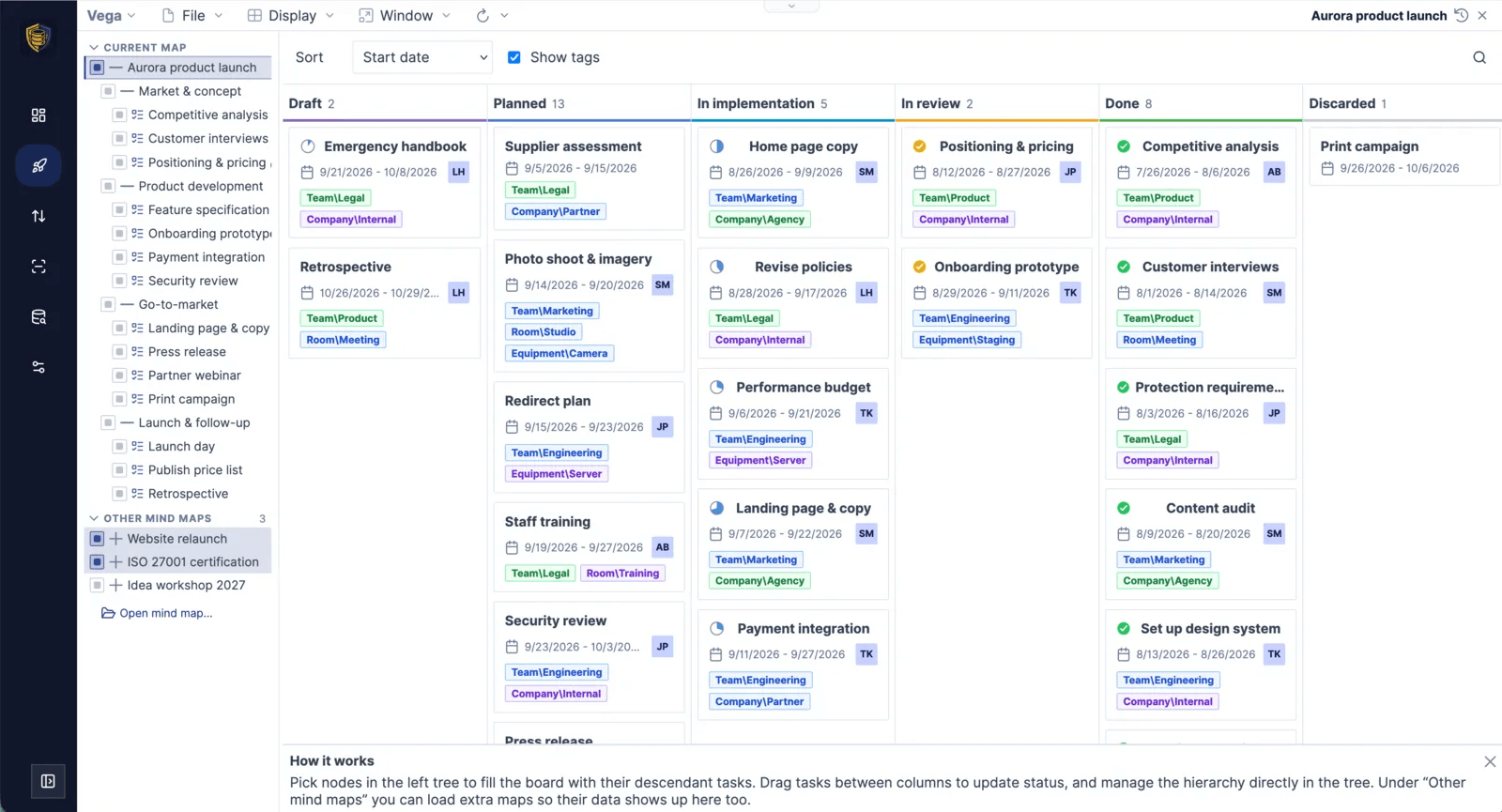
The same tasks as a Kanban board across several projects – dragging a card into another column changes its status.
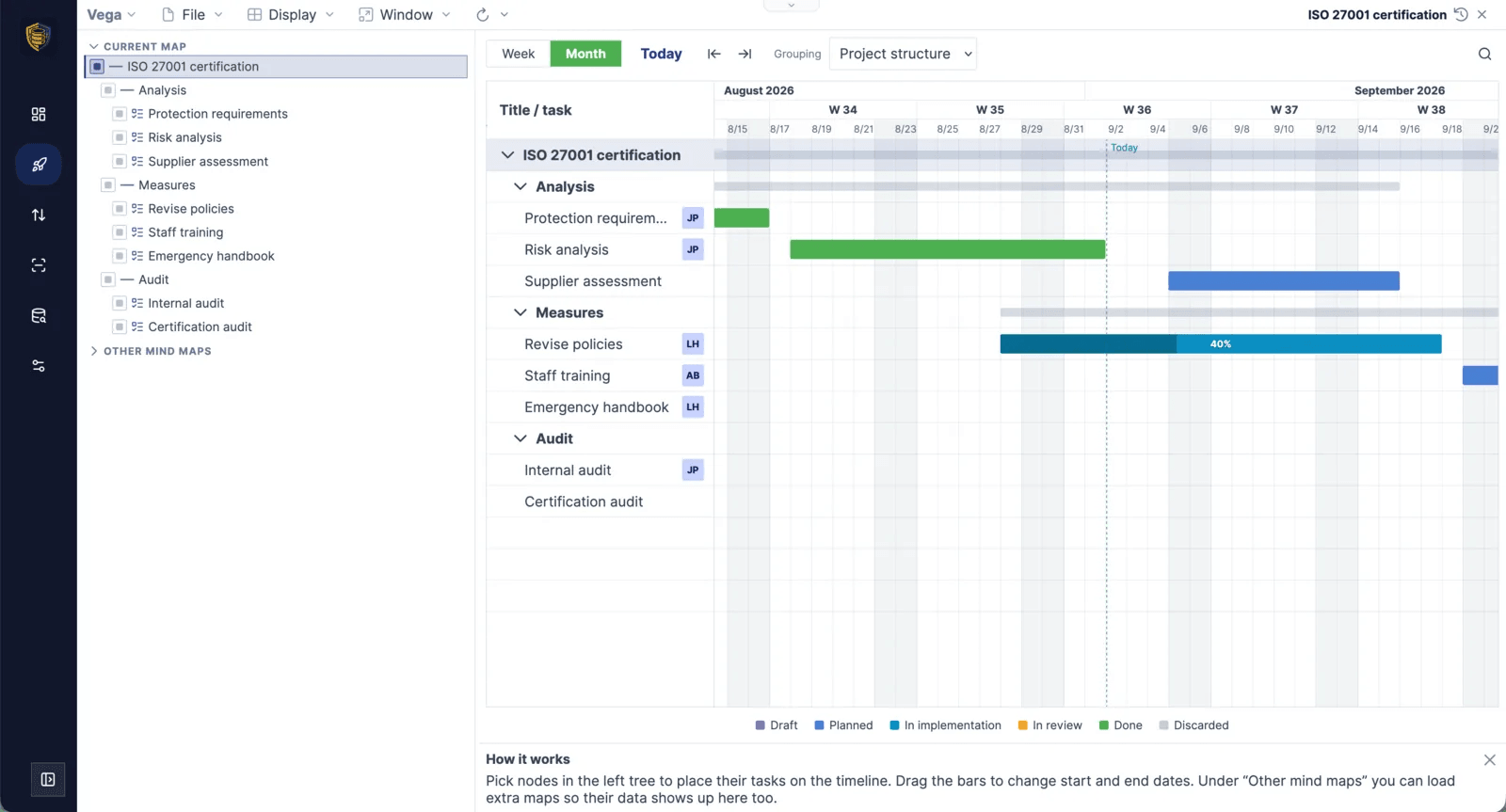
The Gantt chart shows the schedule with a today marker; moving a bar shifts the dates, dragging its ends changes the duration.
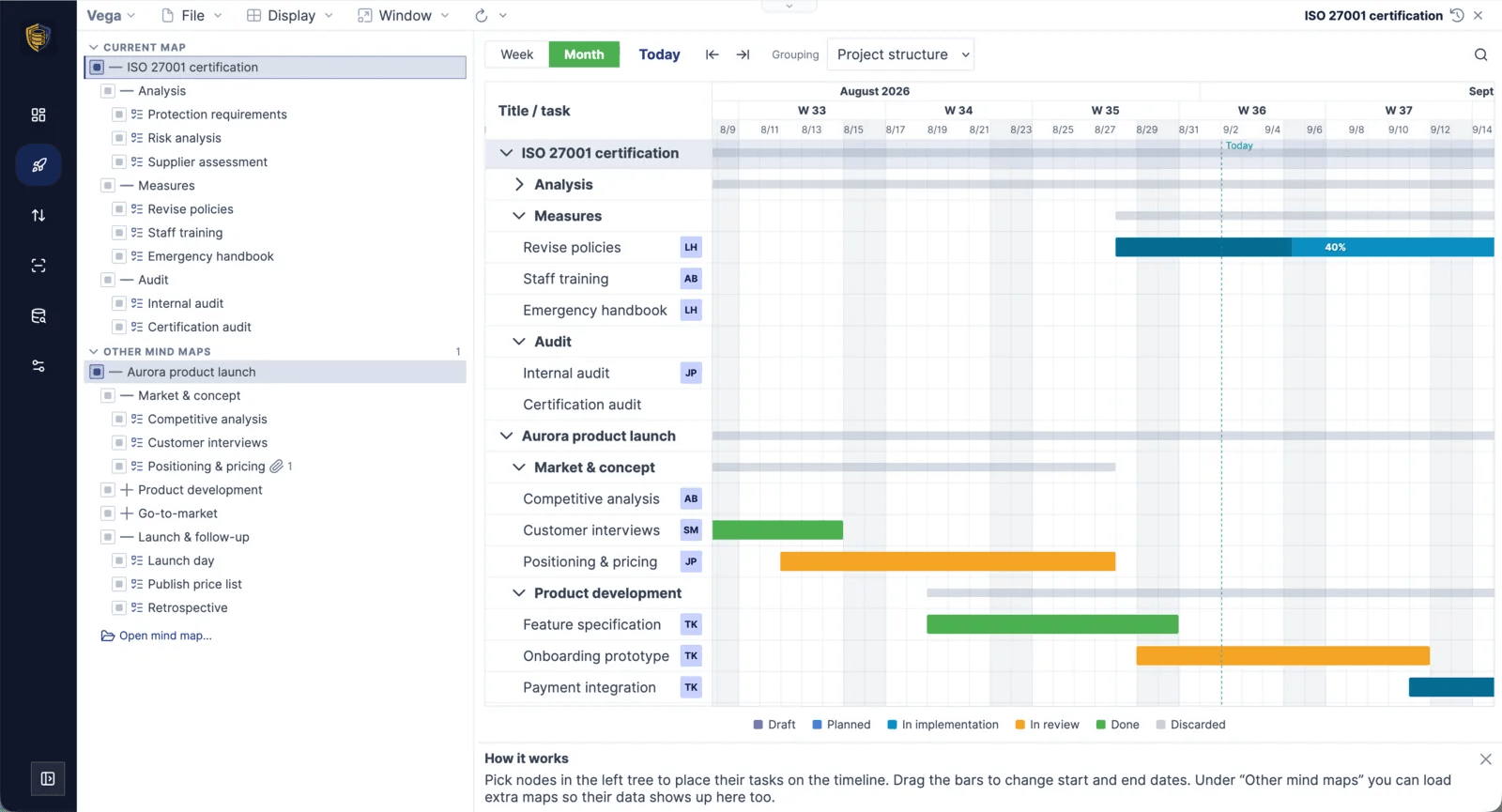
Tick branches from several mind maps and Kanban and Gantt show all of those projects in one timeline.
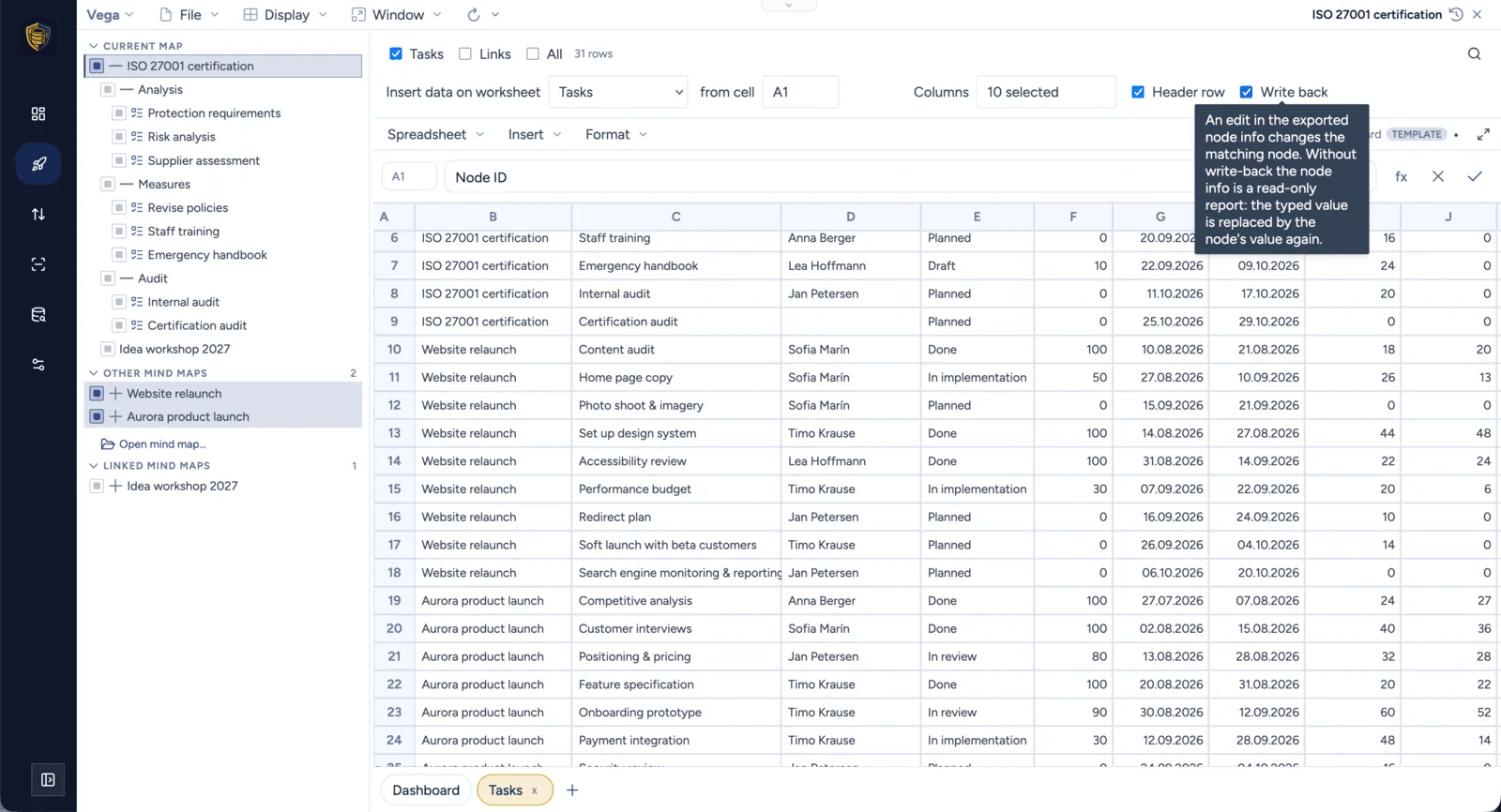
Project nodes mirrored into a real spreadsheet – with write-back switched on, editing a cell changes the node.
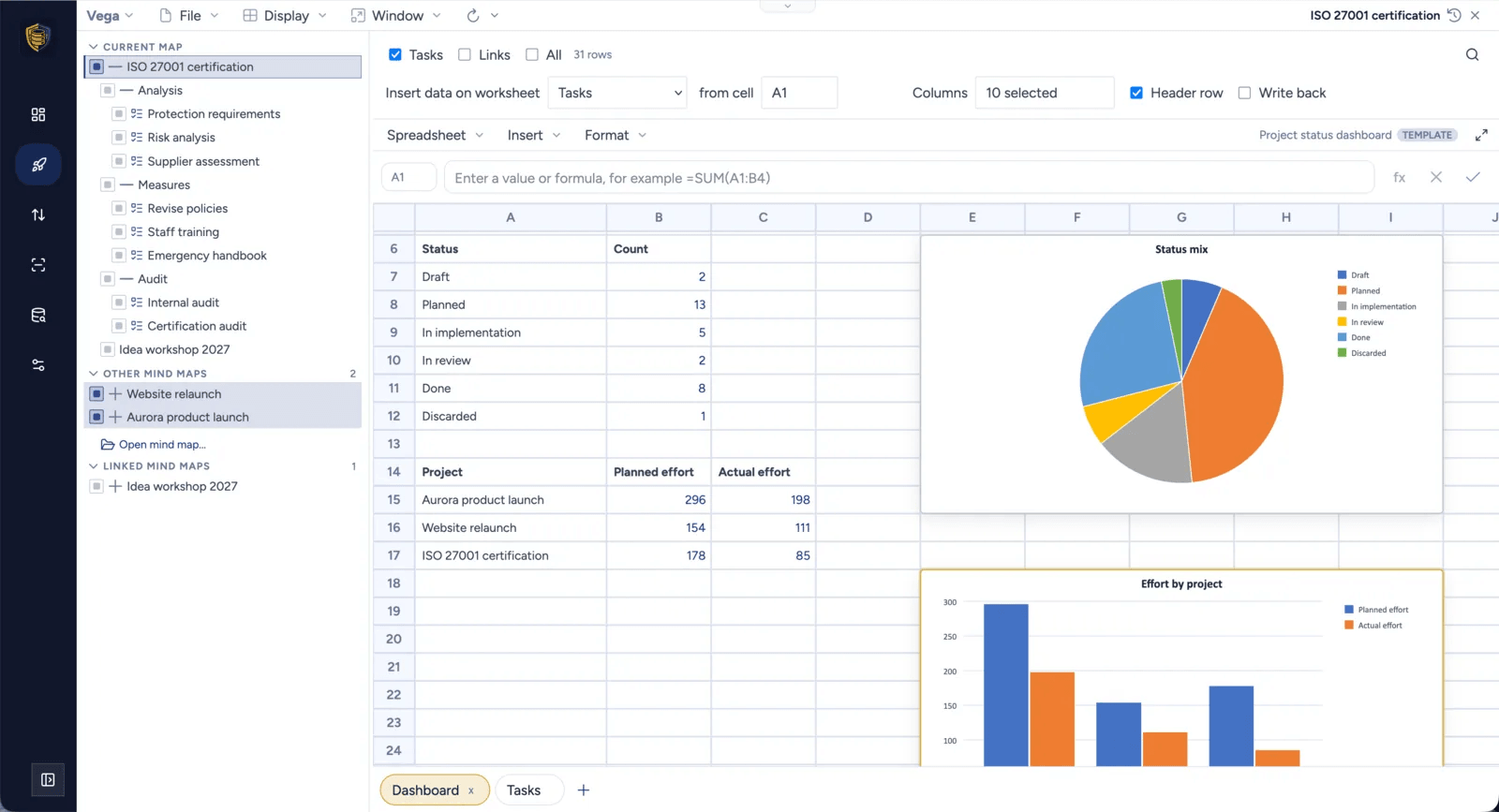
Around 280 Excel-compatible functions plus column, bar, line and pie charts turn the selection into a project dashboard.
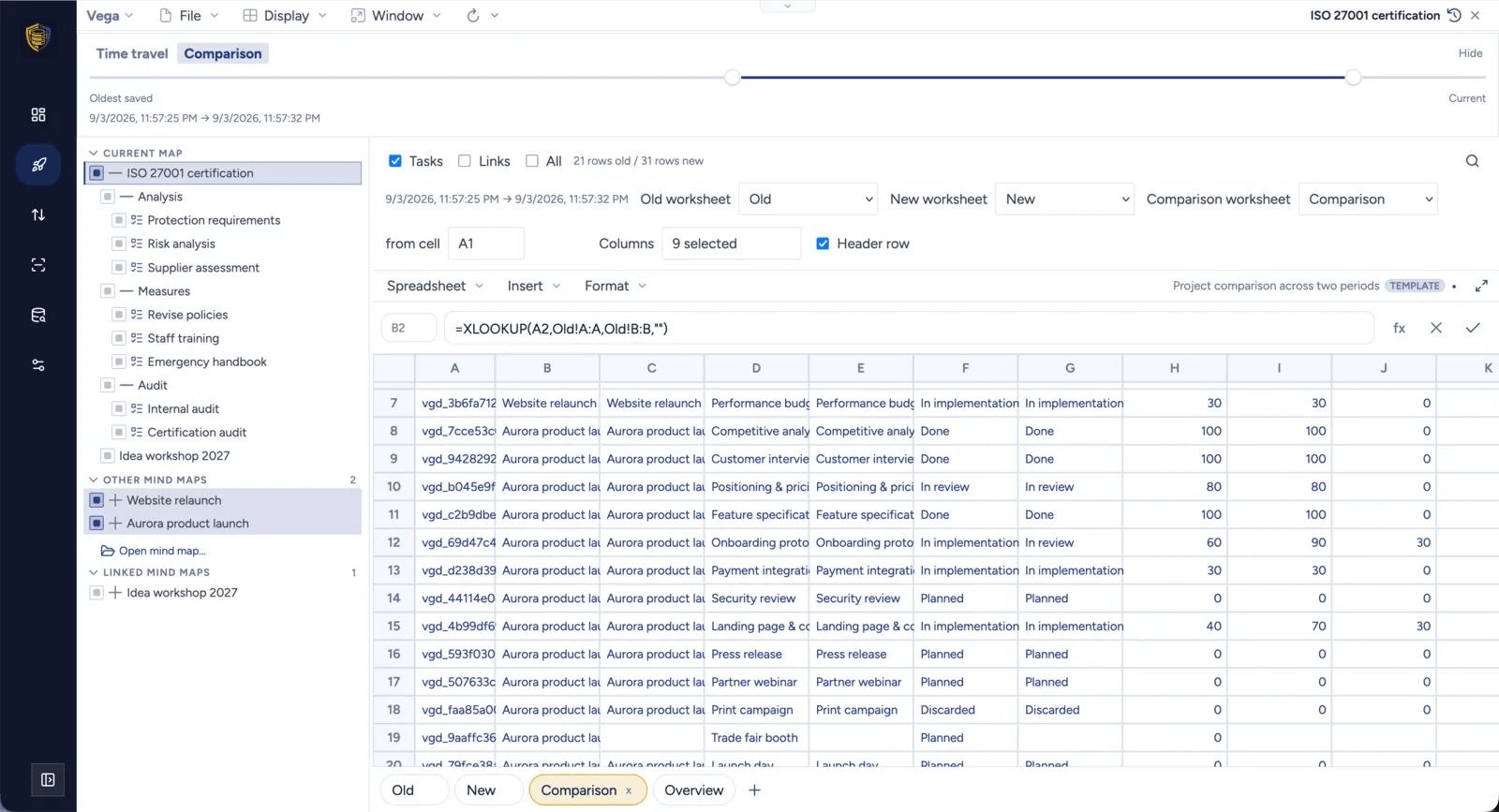
A comparison spreadsheet pairs two points in time by node id with XLOOKUP formulas and a delta column for every number.
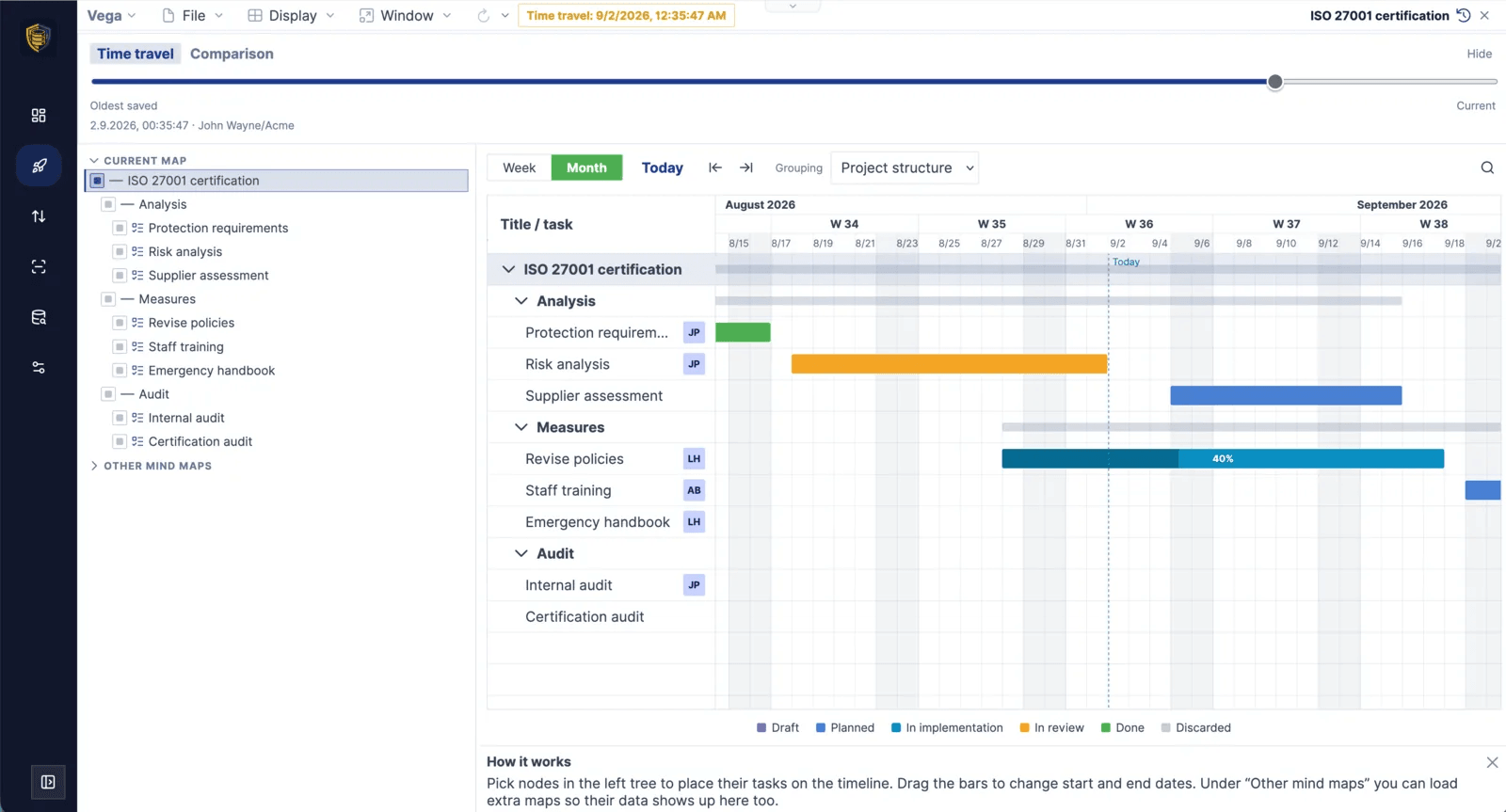
Time travel opens the mind map, the board and the timeline as they were on an earlier date, read-only.
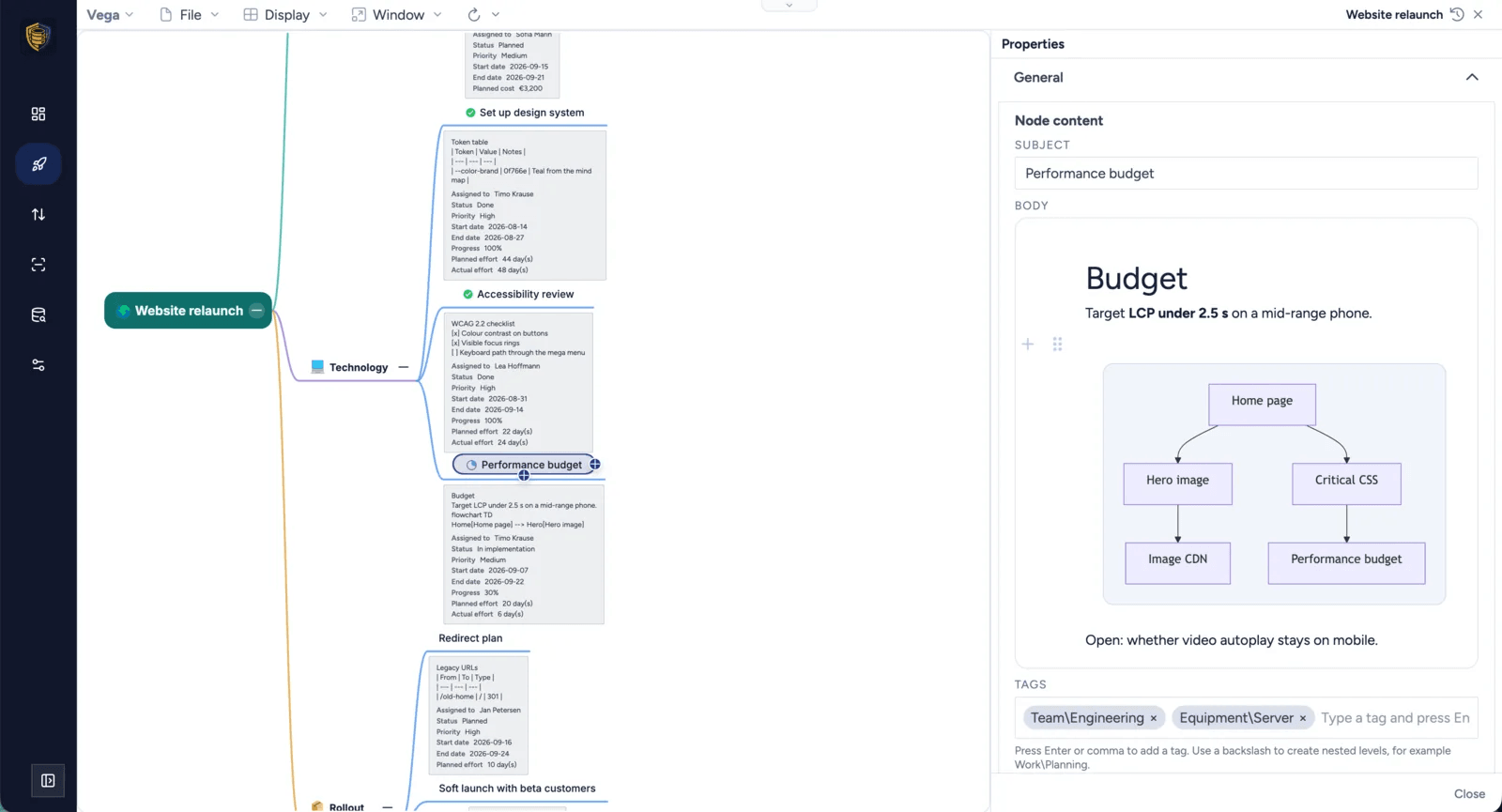
Properties can stay docked beside the map, with Markdown notes and Mermaid diagrams on the topic itself.
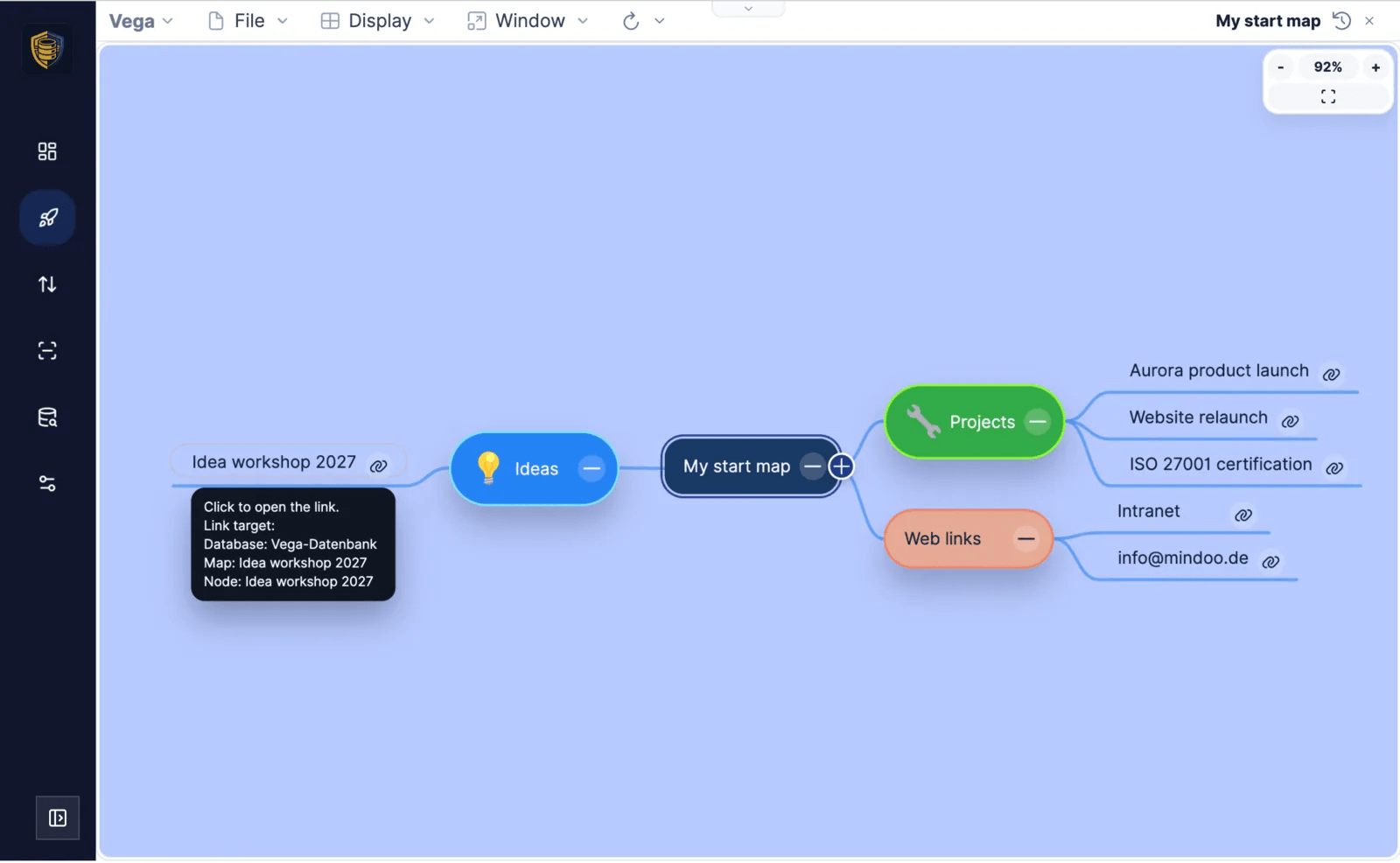
Nodes can link to other topics, other mind maps and web addresses – a map of links becomes a portfolio of projects.
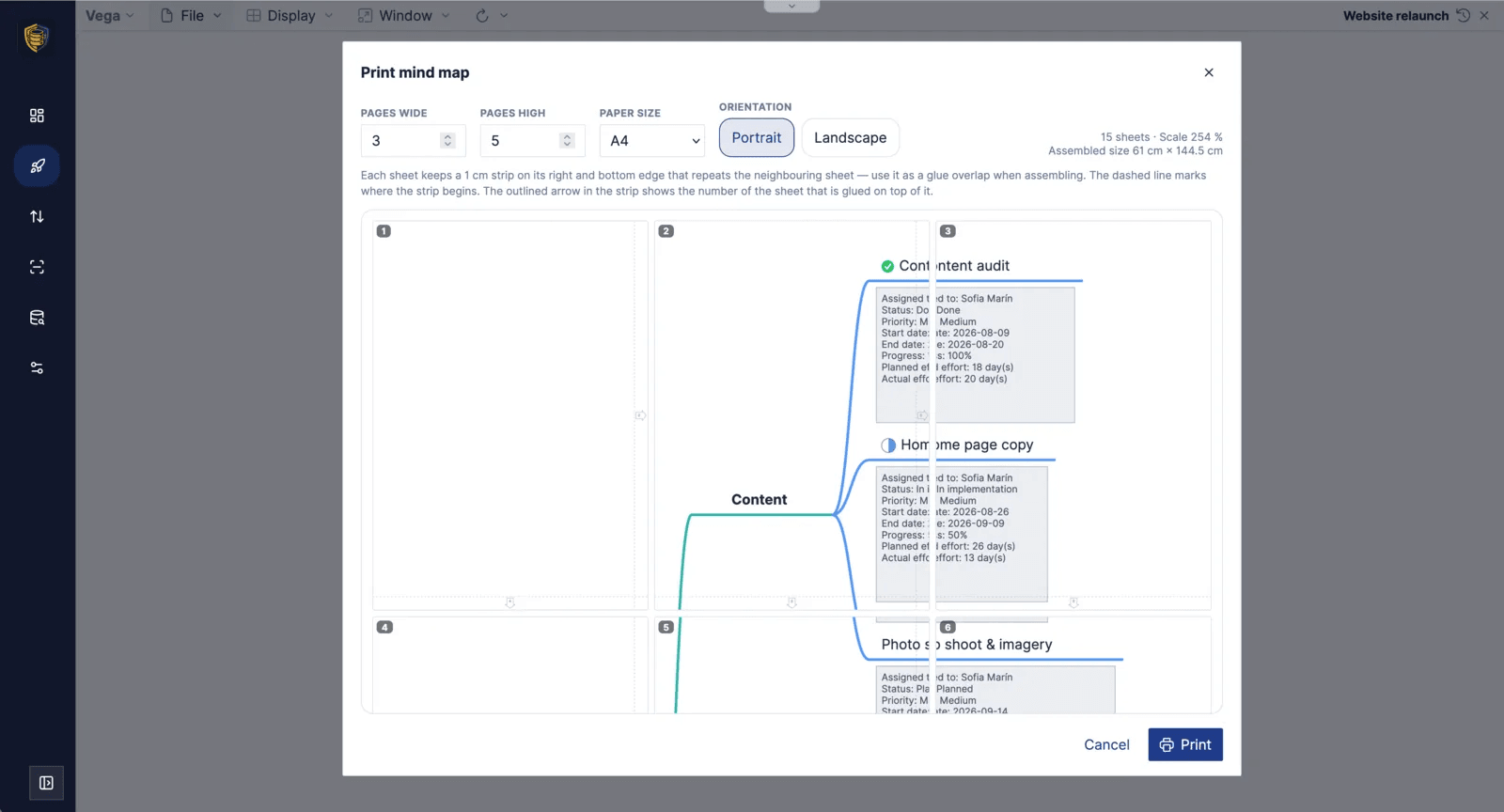
Print a mind map as a poster across as many sheets as you like; every sheet carries a 1 cm glue strip naming its neighbour.
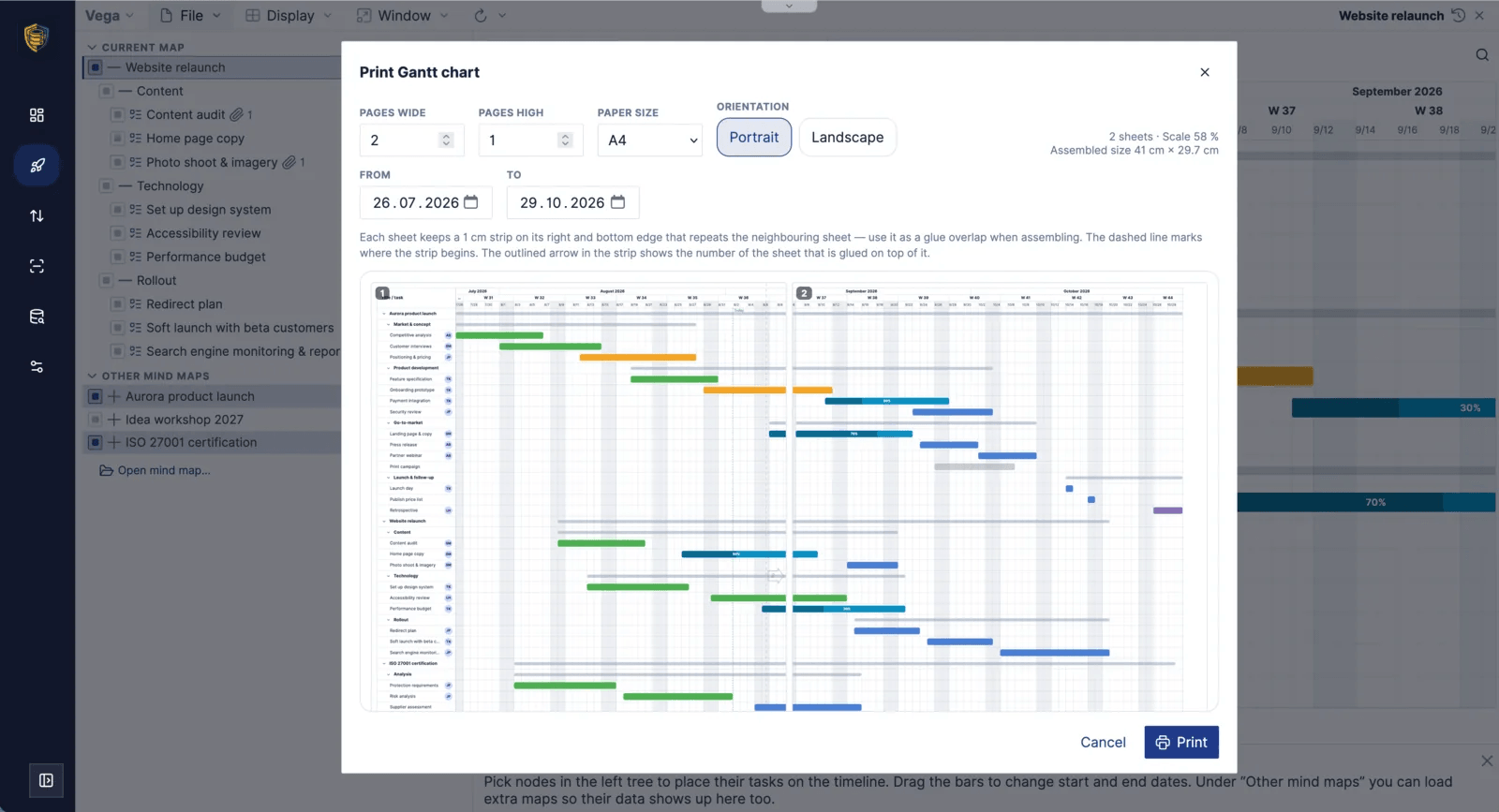
A Gantt poster works the same way, with the time range you choose spread across the sheets.
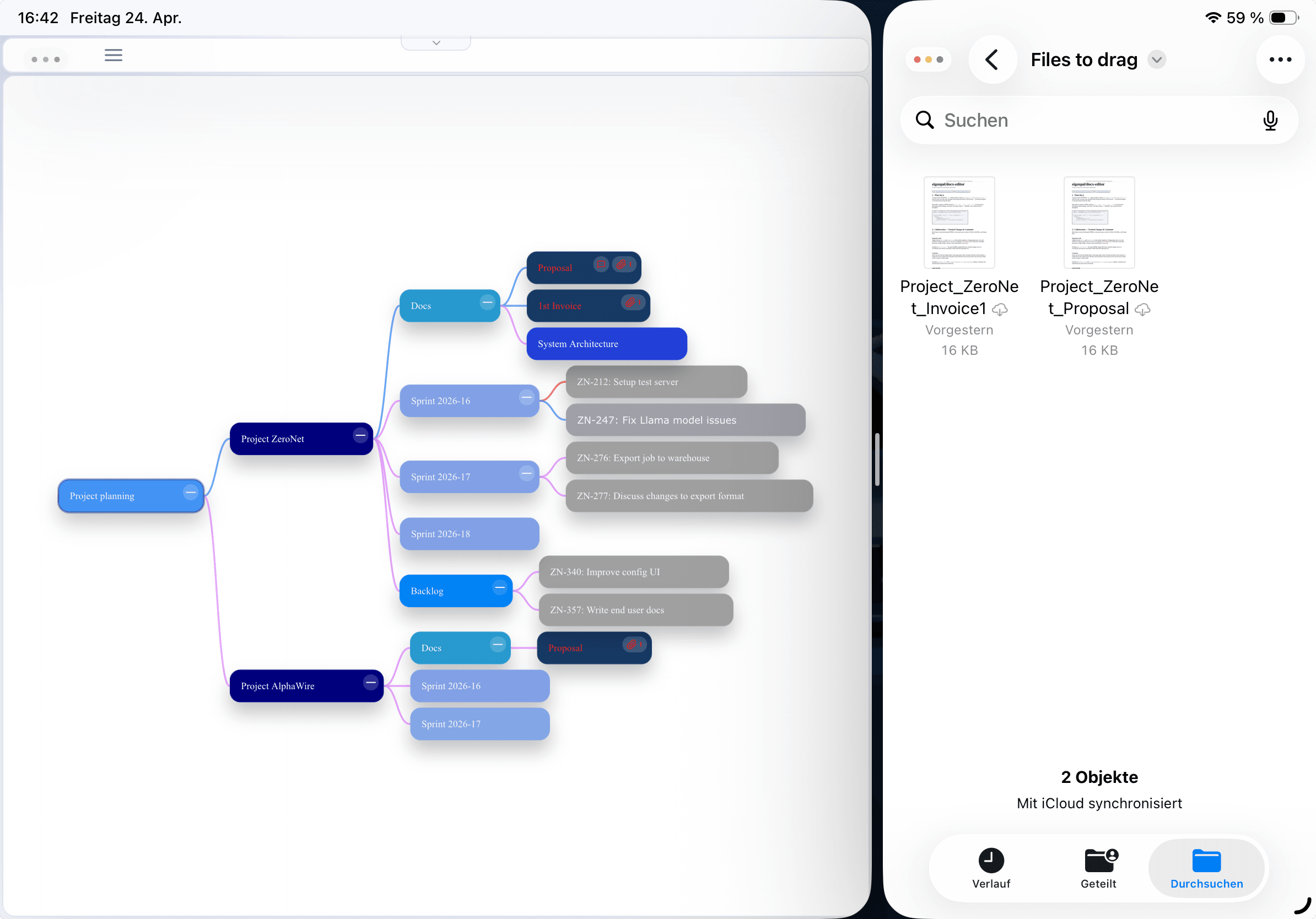
In the Split View of iPadOS, Vega sits next to the Files app, so a document can be dragged straight from there onto a node and stays attached to it.
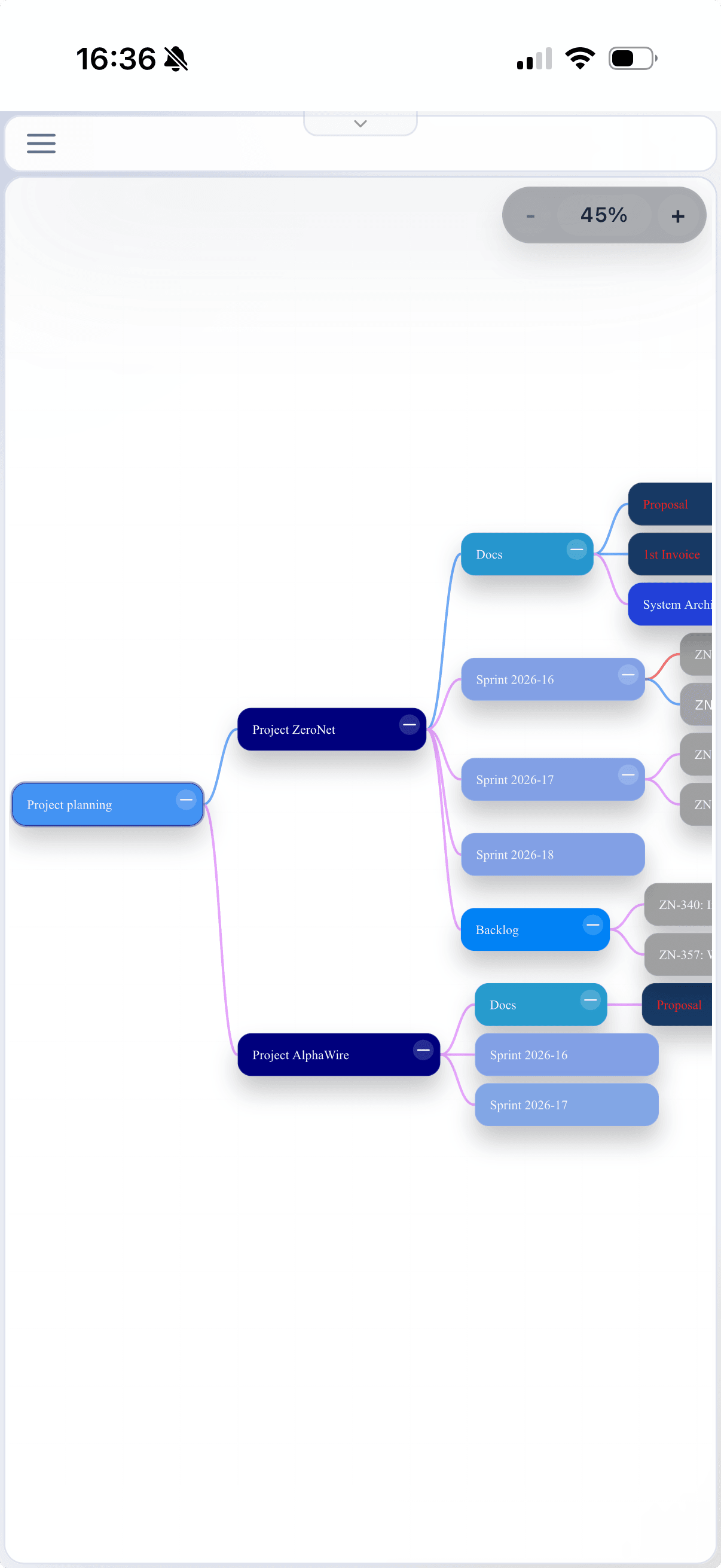
The same project mind map on an iPhone, zoomed out far enough for the whole tree to fit, with the zoom control in the upper corner.
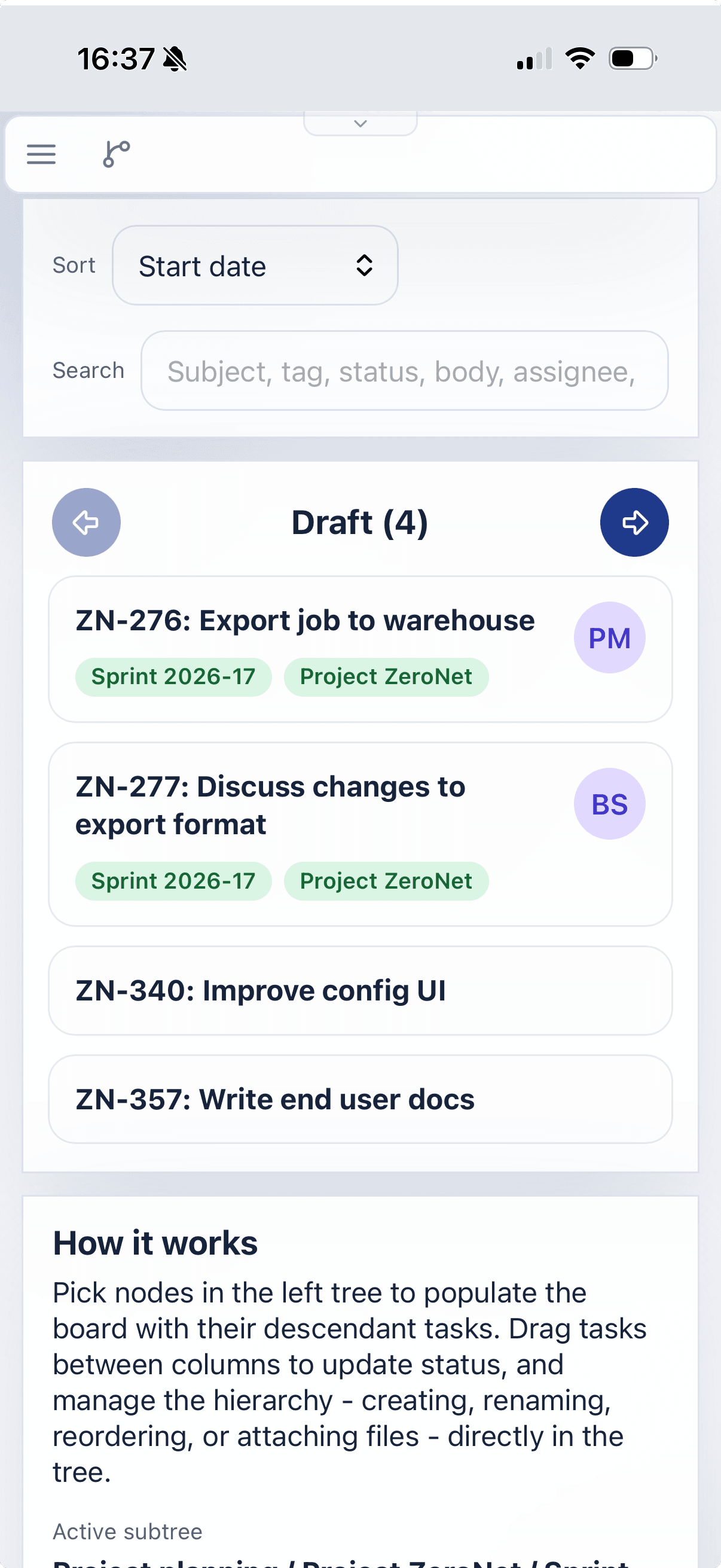
On the narrow screen the Kanban board shows one column at a time; the arrows beside the column name step through the others.
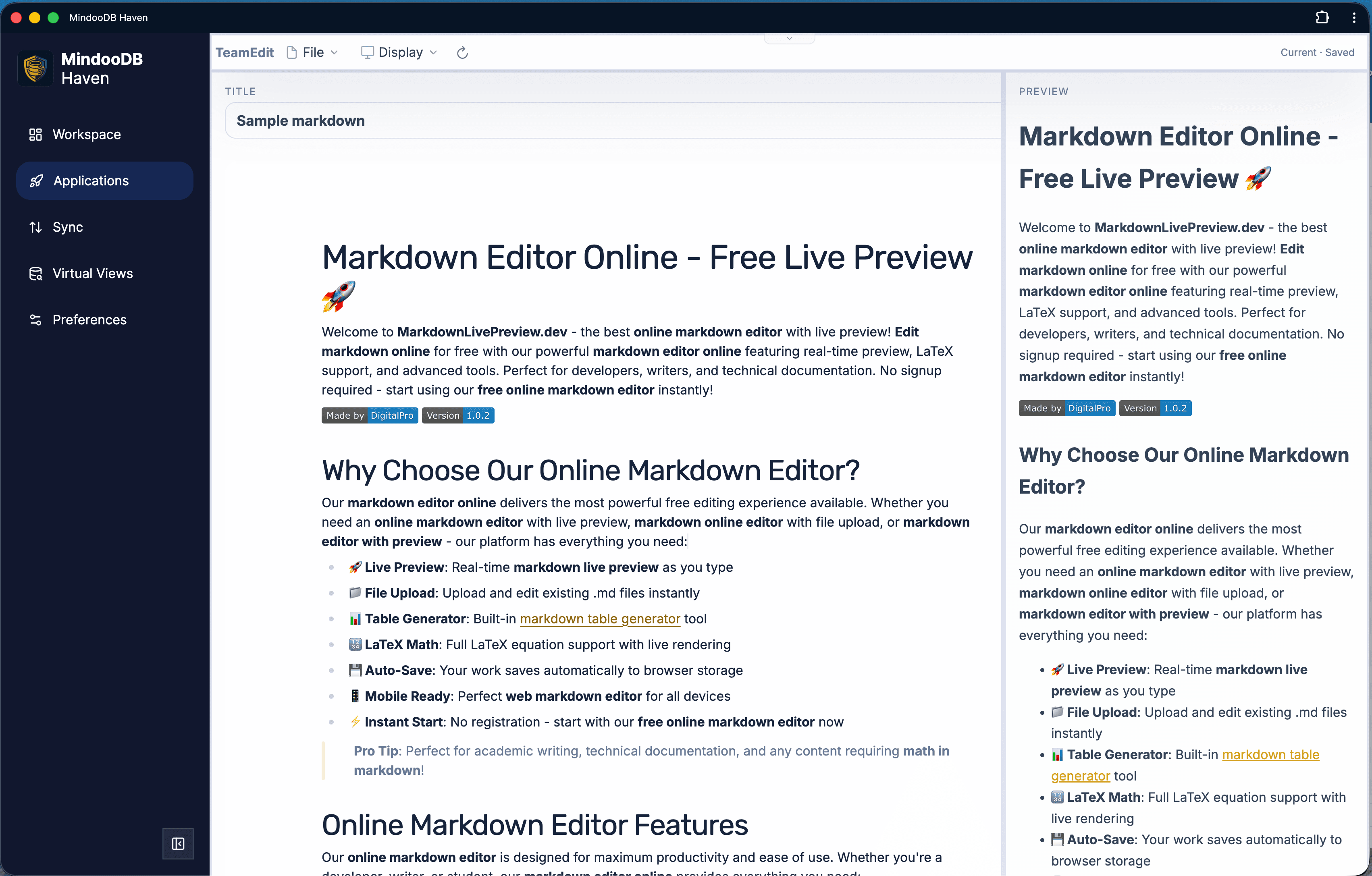
Mindoo TeamEdit is a Milkdown-based WYSIWYG markdown editor that lets multiple users edit the same document. Concurrent saves are merged at the character level on the Haven side using MindooDB's Automerge text CRDT, so two windows can keep typing without overwriting each other.
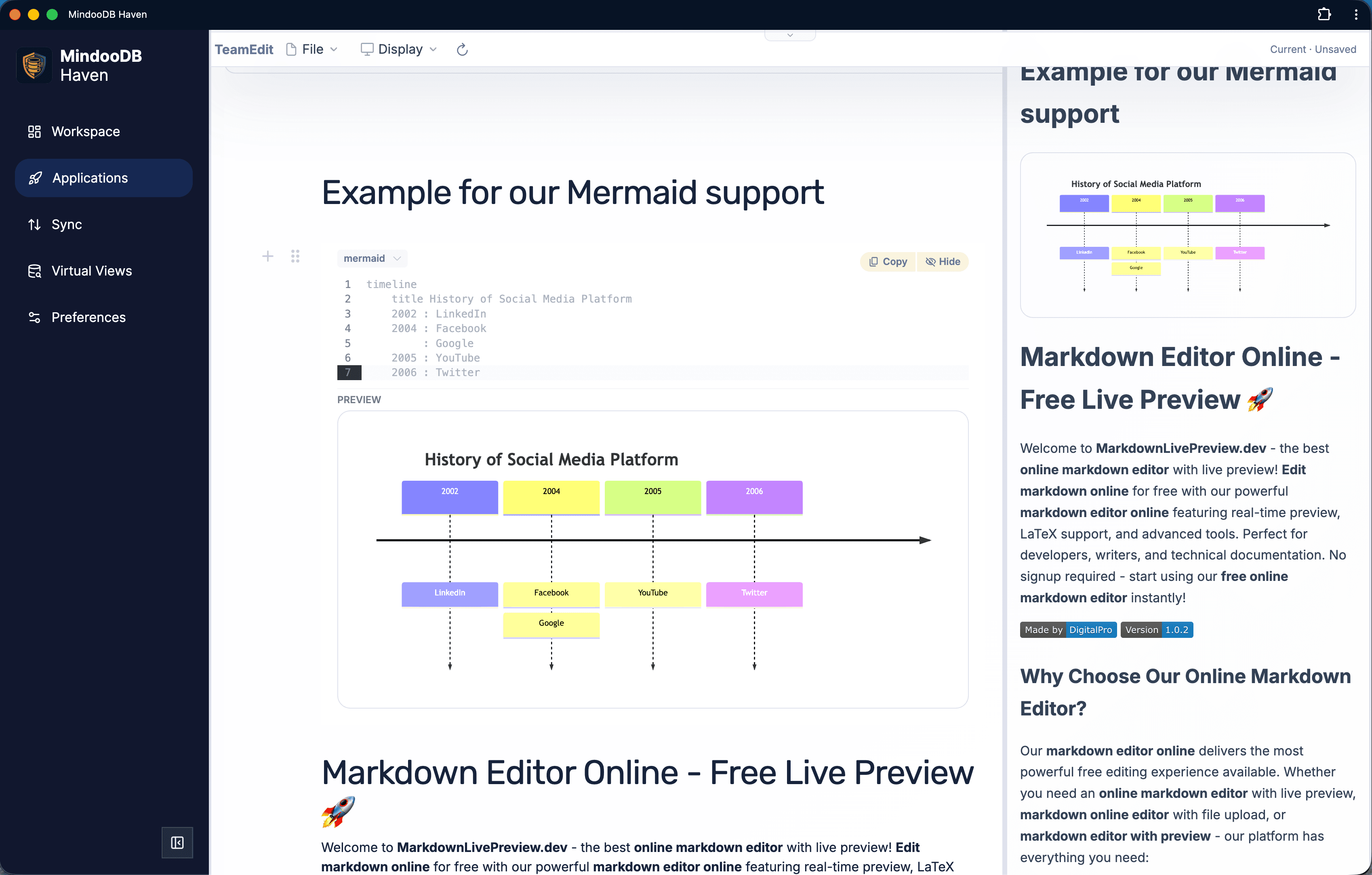
TeamEdit's preview pipeline renders Mermaid diagrams, LaTeX math, syntax-highlighted code, task lists, and footnotes. The same renderer powers the print view and the markdown export package, so what you see while editing is what you ship.
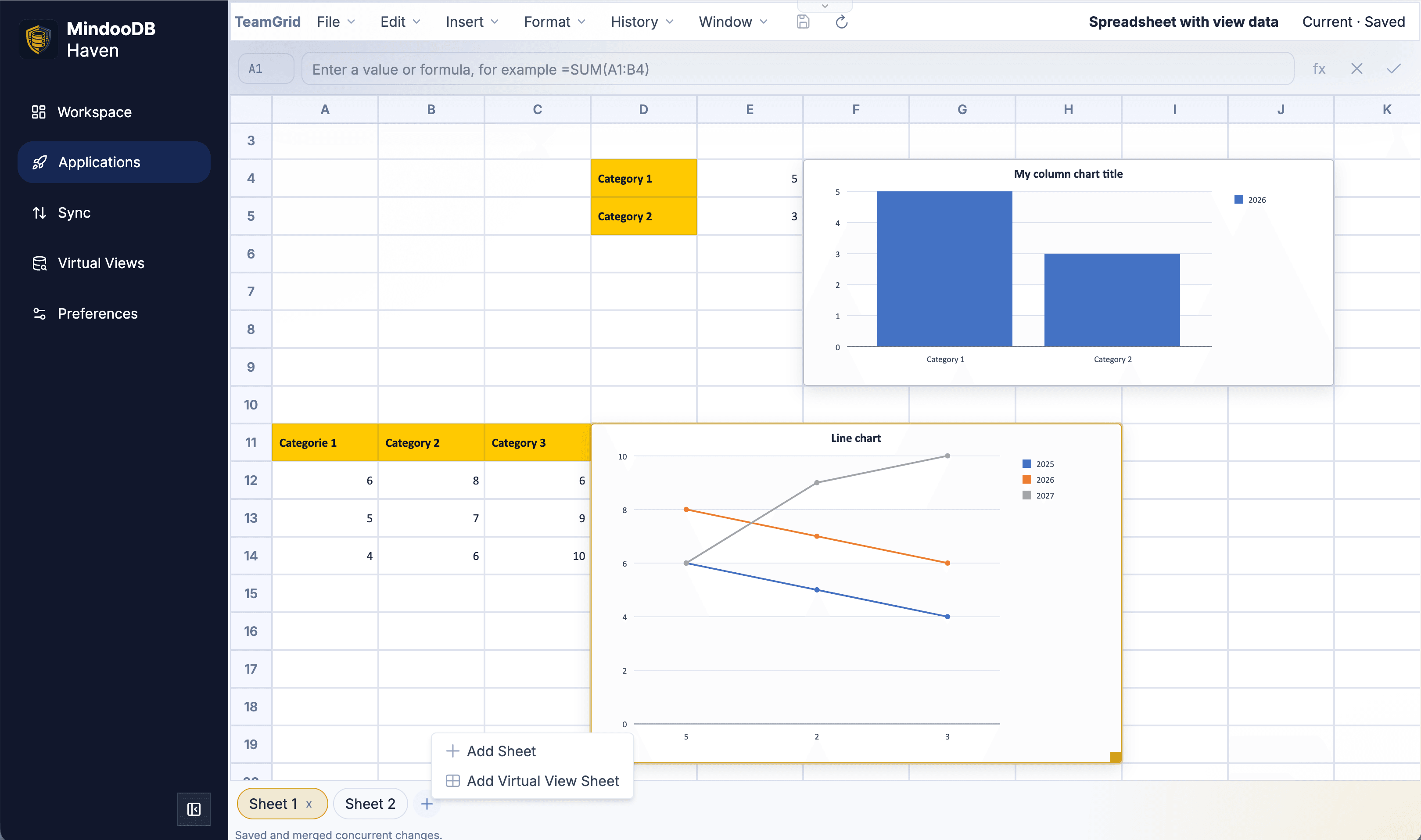
Mindoo TeamGrid is a collaborative spreadsheet for Haven with Column, Bar, Line, and Pie charts, around 280 Excel-compatible formula functions, and a +tab menu that adds either an empty sheet or a sheet sourced from a Haven Virtual View. Formulas, rows, columns, charts, and tabs are stored with stable IDs so concurrent edits on multiple devices merge cleanly through the SDK's granular JSON patch API.
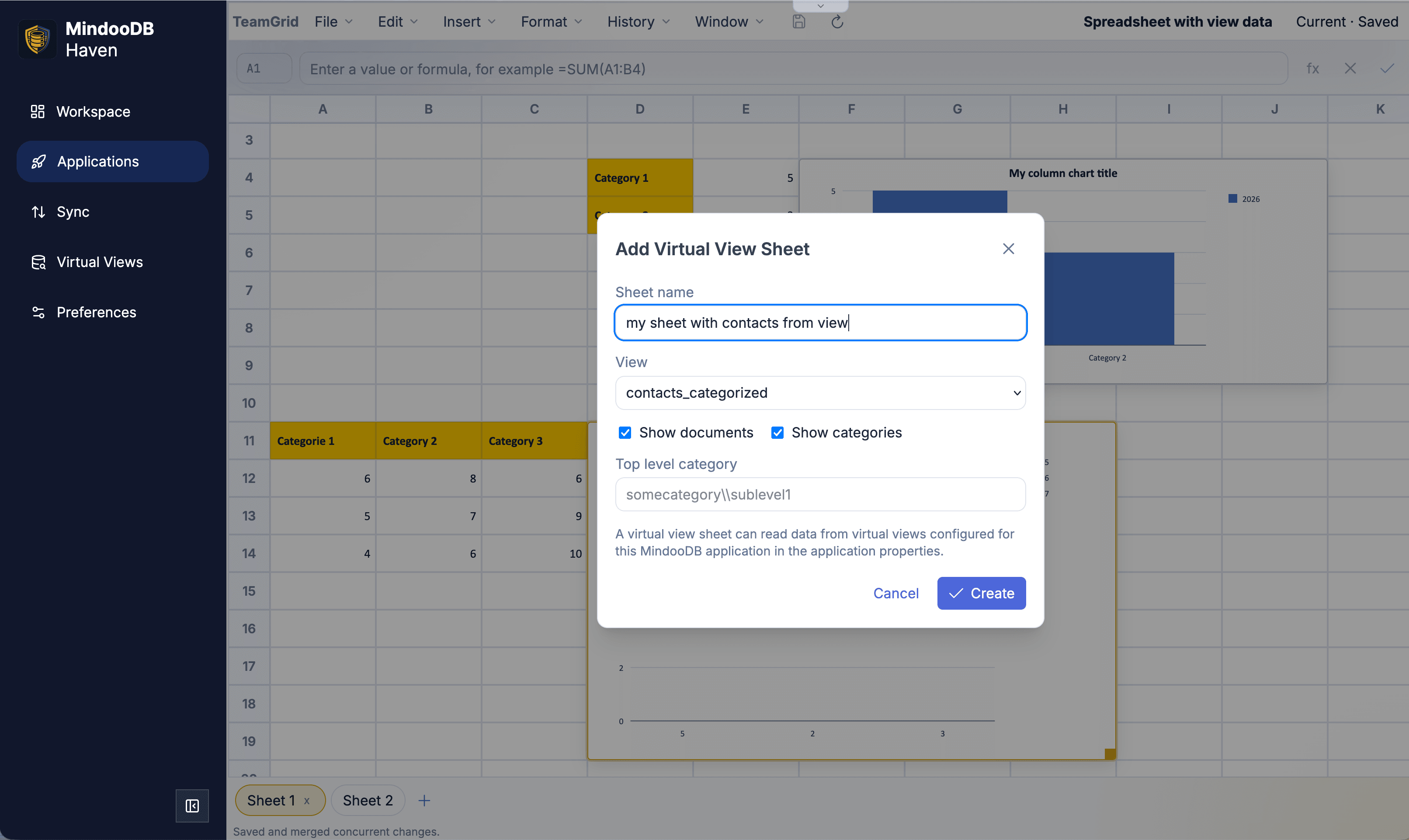
The Add Virtual View Sheet dialog picks any virtual view configured for the app - including views that combine your private data with work data and a partner company's tenant - with options for showing documents, categories, and an optional top-level category path. The dialog text reminds users that the available views are configured in the application properties.
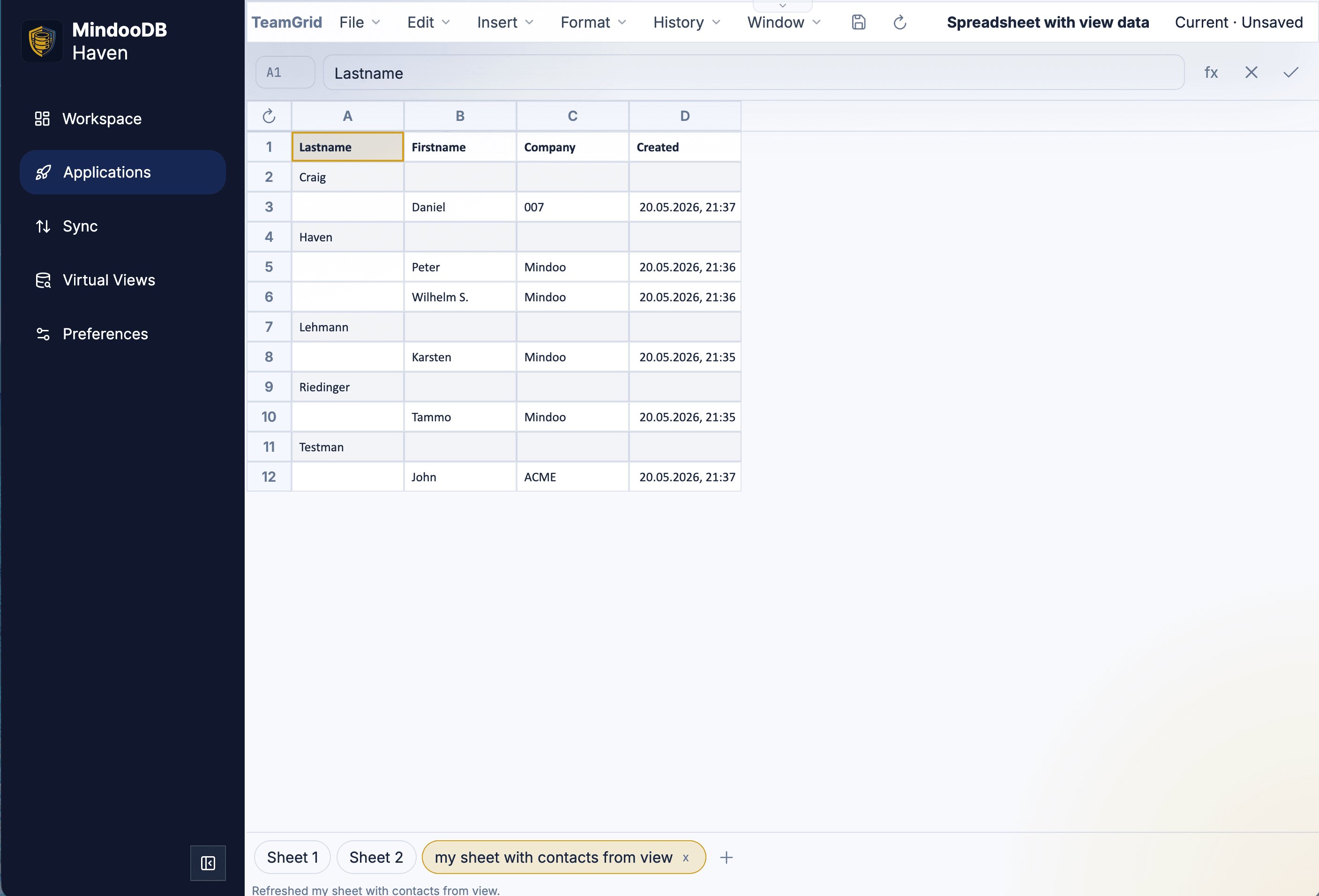
The resulting virtual view sheet materializes view rows as ordinary cells, so the full TeamGrid feature set - around 280 Excel formulas, charts, and XLSX export - works on top of cross-tenant Haven data. A small Refresh button in the top-left re-runs the view, and the status bar at the bottom confirms which sheet was just refreshed.
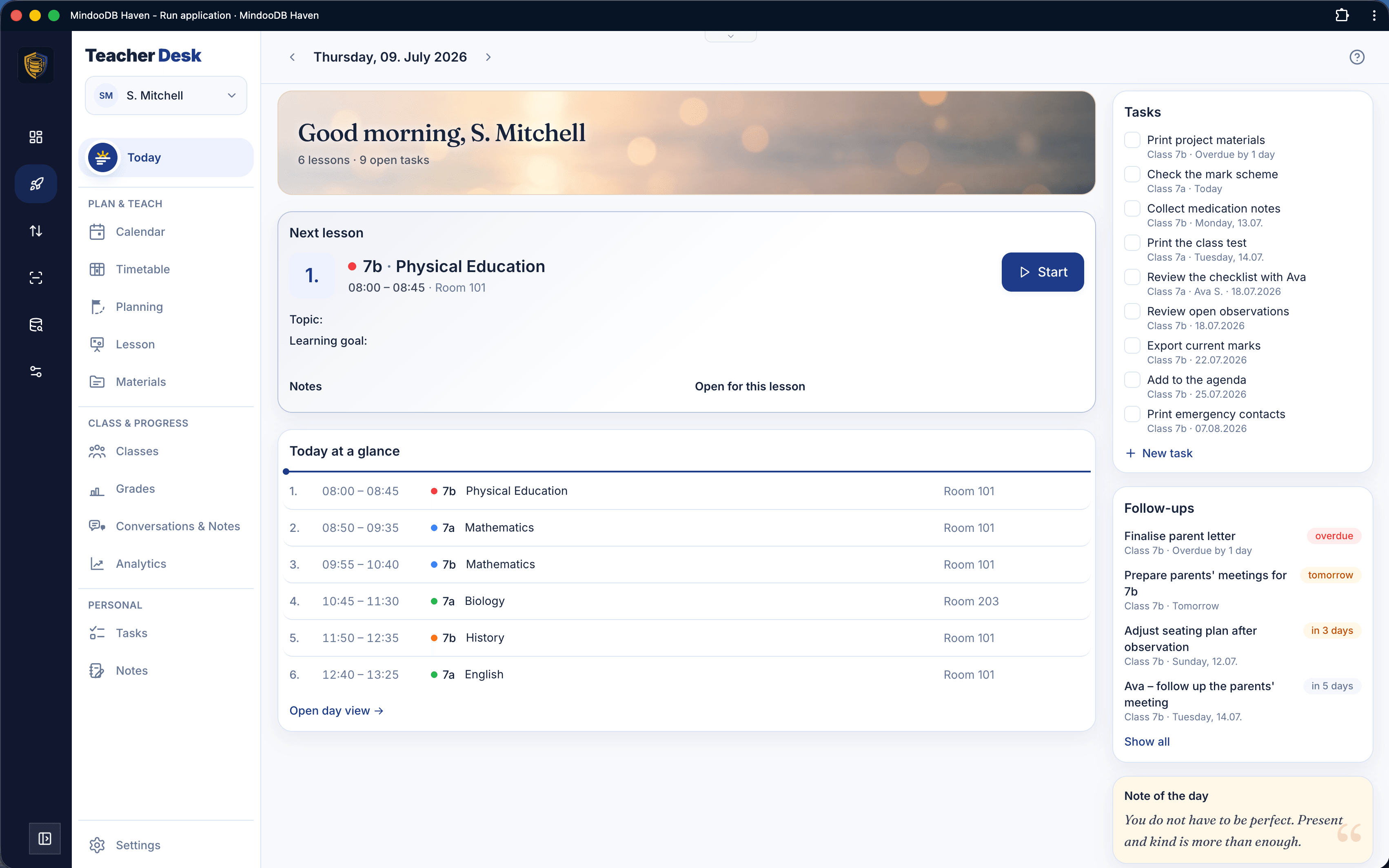
Mindoo Teacher's Desk is a complete digital workspace for teachers. The Today view greets the teacher with the next lesson including topic and learning goal, the full day at a glance, open tasks, follow-ups, and a note of the day.
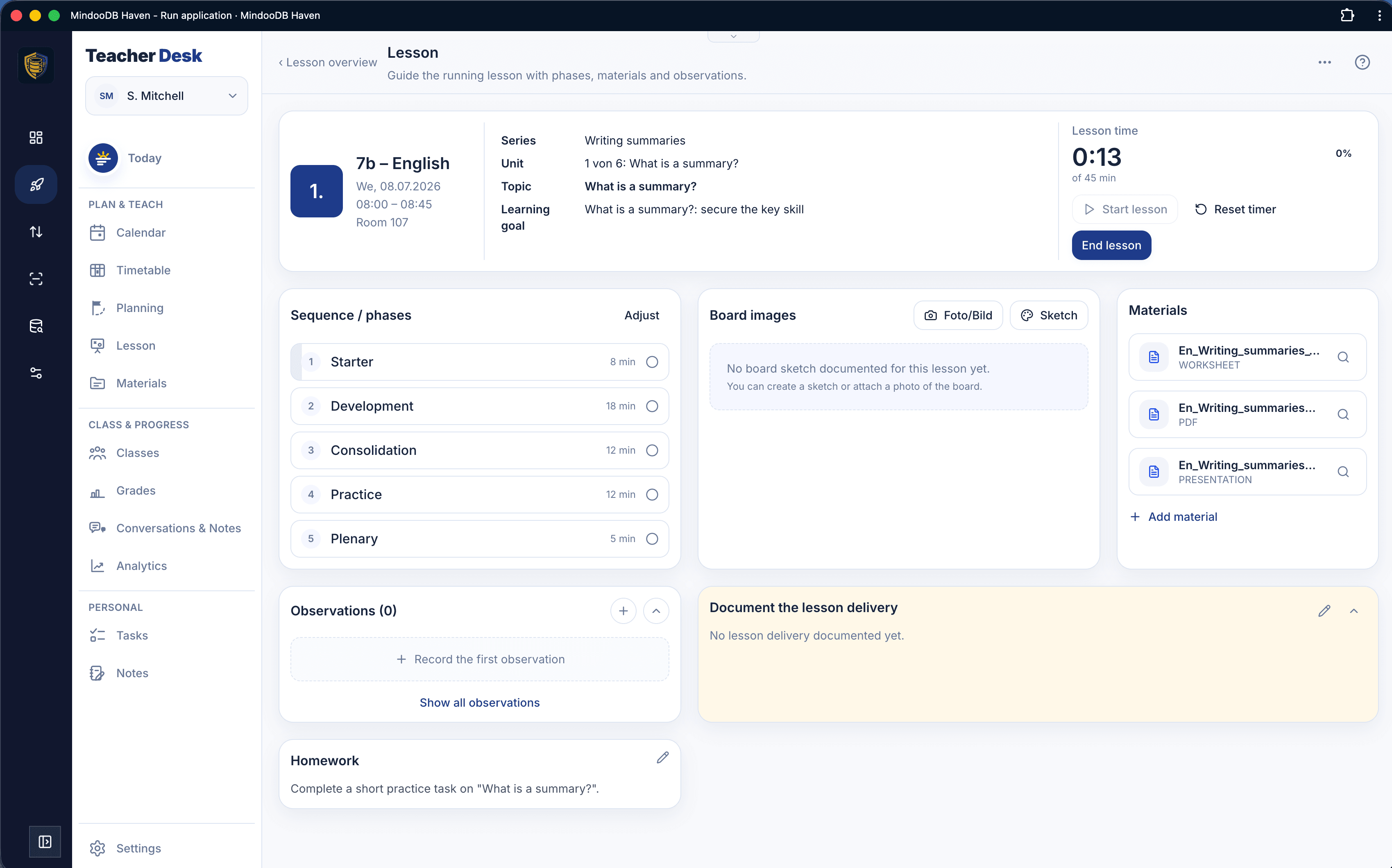
The lesson view guides through the running lesson: a lesson clock with phases shows whether you are on schedule, board images can be captured as photos or sketches, materials are at hand, and observations and homework are documented in place.
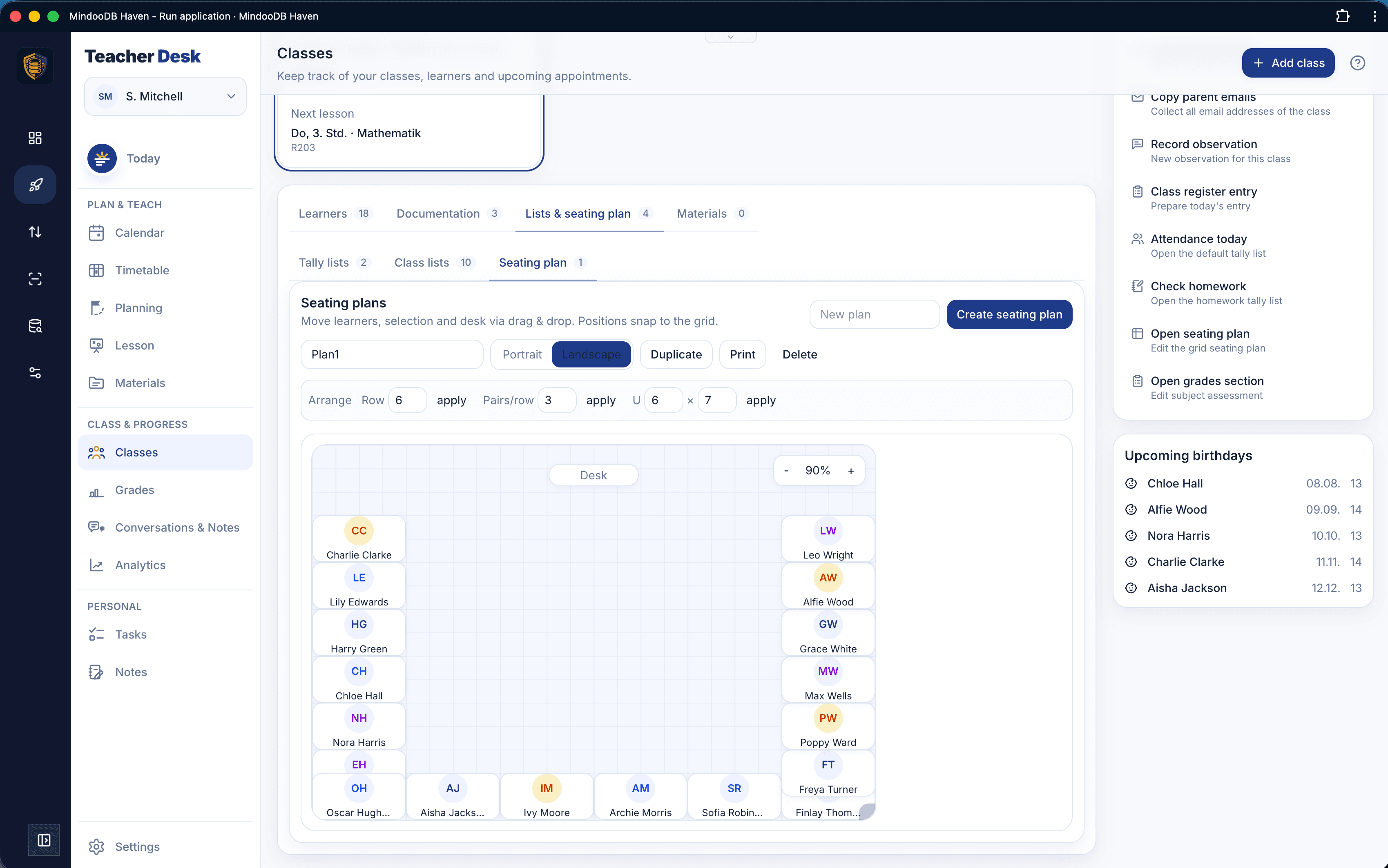
The class section keeps learners, documentation, and lists together. Seating plans arrange learners by drag and drop on a grid with row, pair, and U-shape layouts, duplication, and printing - all encrypted so the server operator can never read learner data.
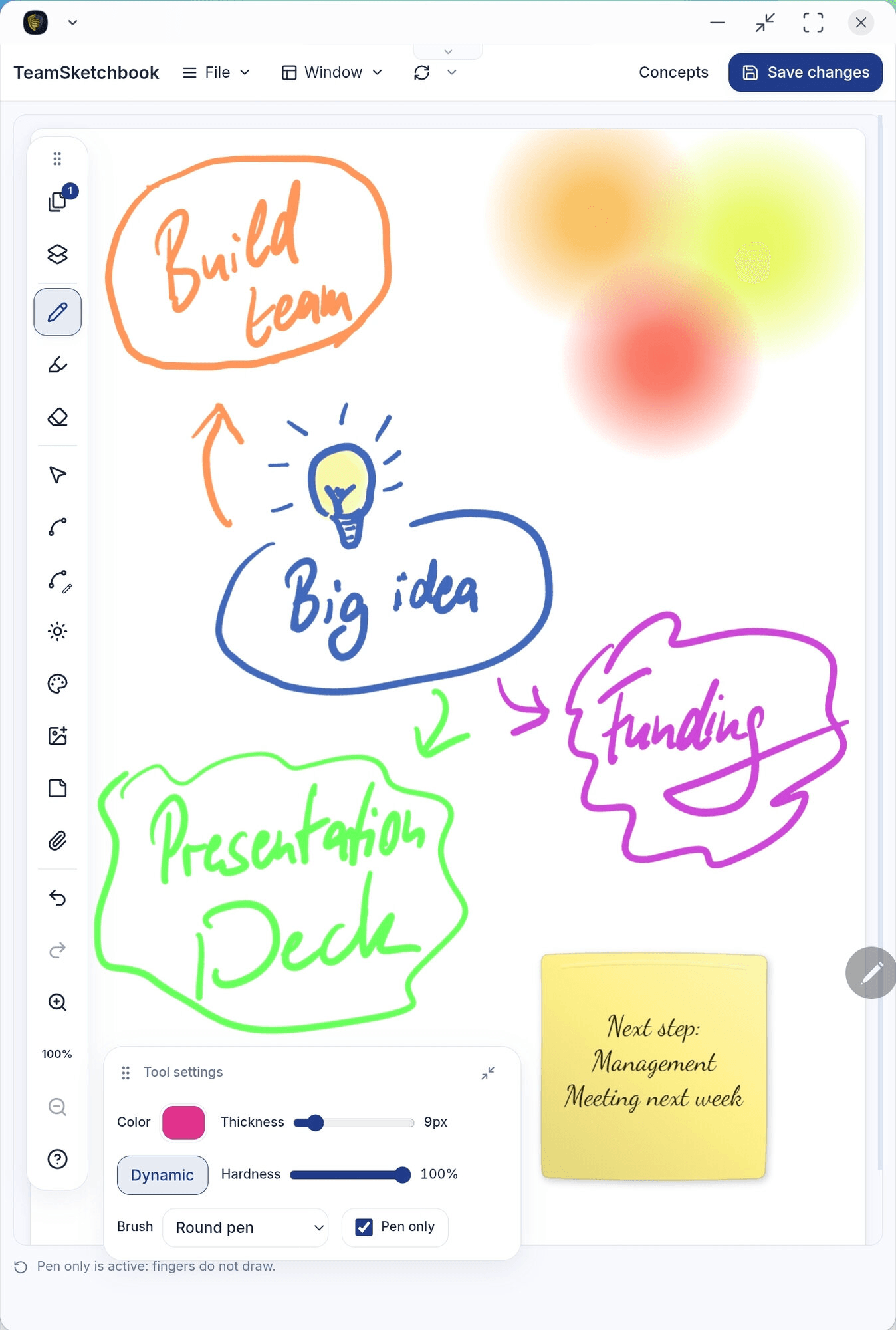
TeamSketchbook pairs a pressure-sensitive pen with sticky notes, images, and a floating tool panel - so a brainstorm page can hold ink, photos, and notes that move together.
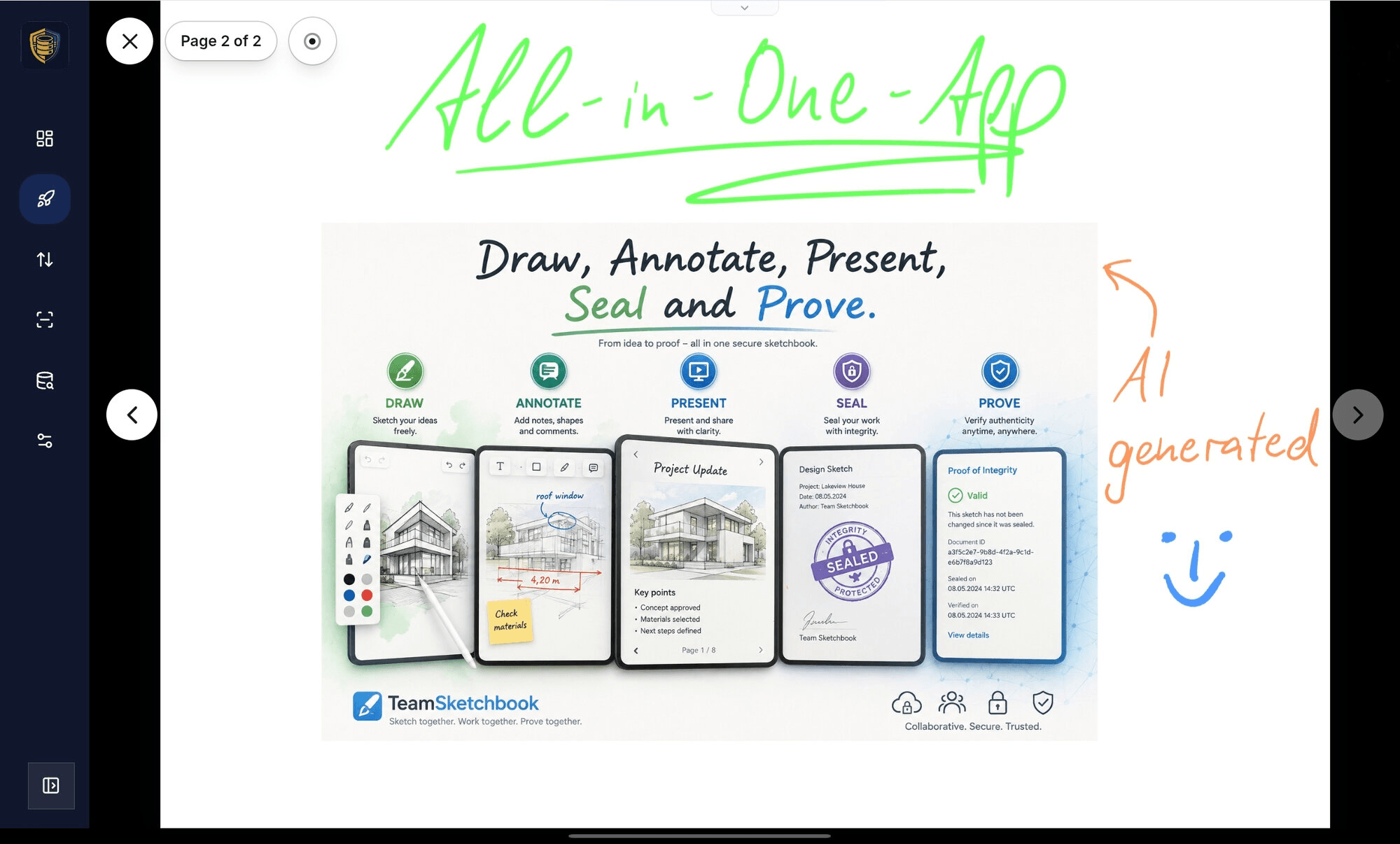
Presentation mode flips through pages like a deck with a laser pointer and page navigation - live collaborator ink still appears while you talk, with no export step.
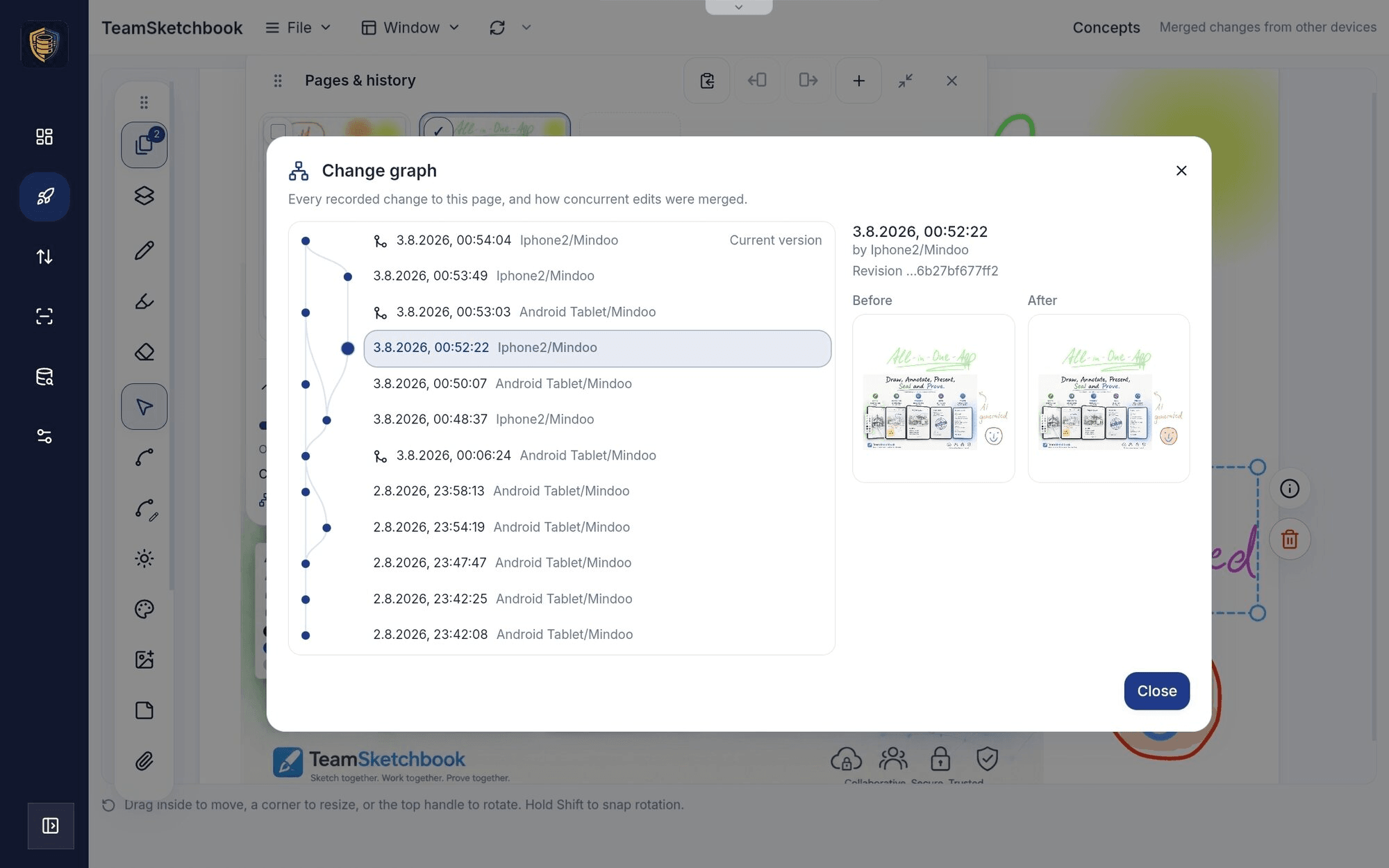
Because strokes are editable vector data on MindooDB, concurrent edits from multiple devices fold into one page history - the change graph shows what each device contributed.
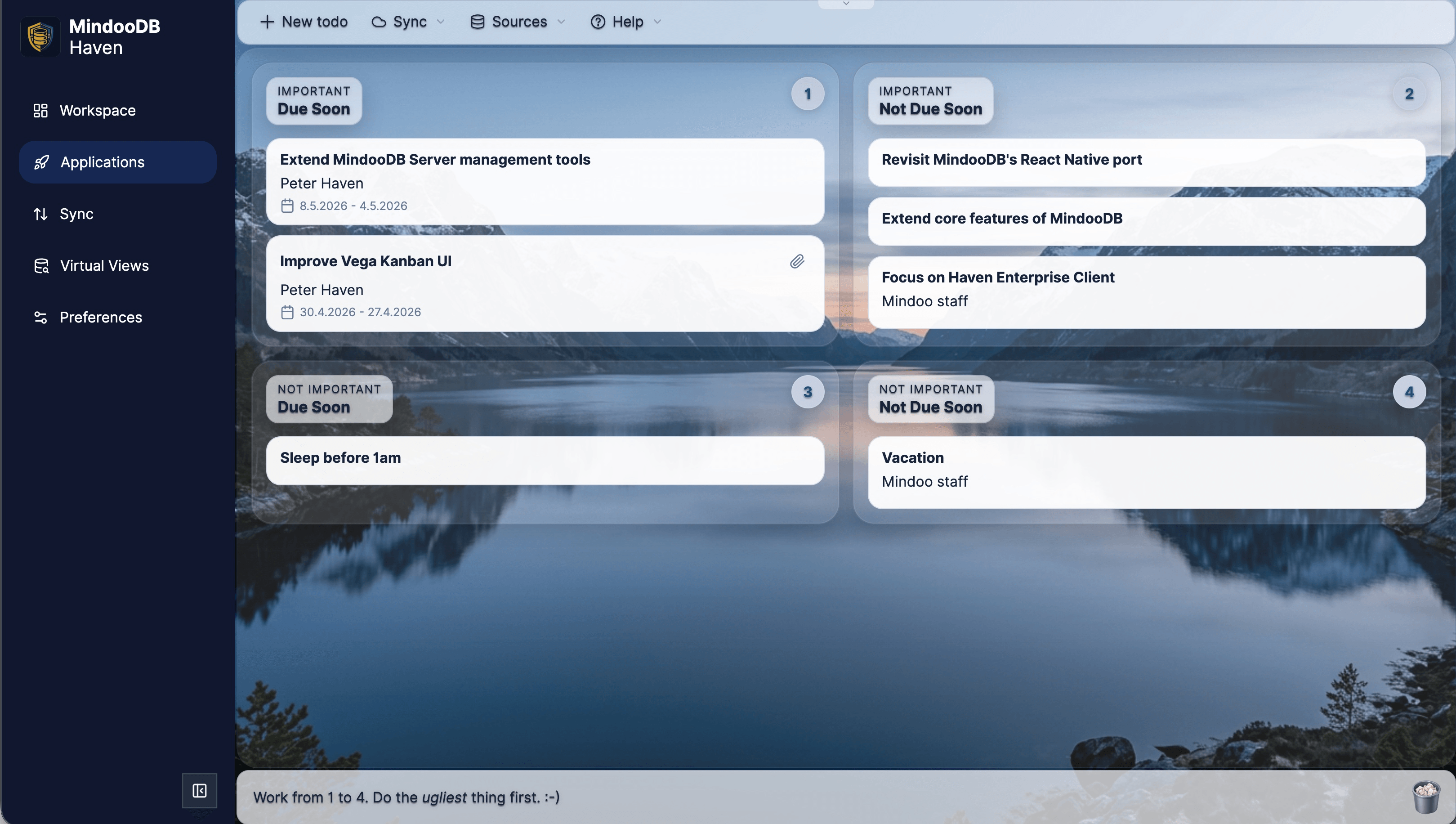
TodoManager turns the Covey-style quadrant view into a clean team task board inside Haven.
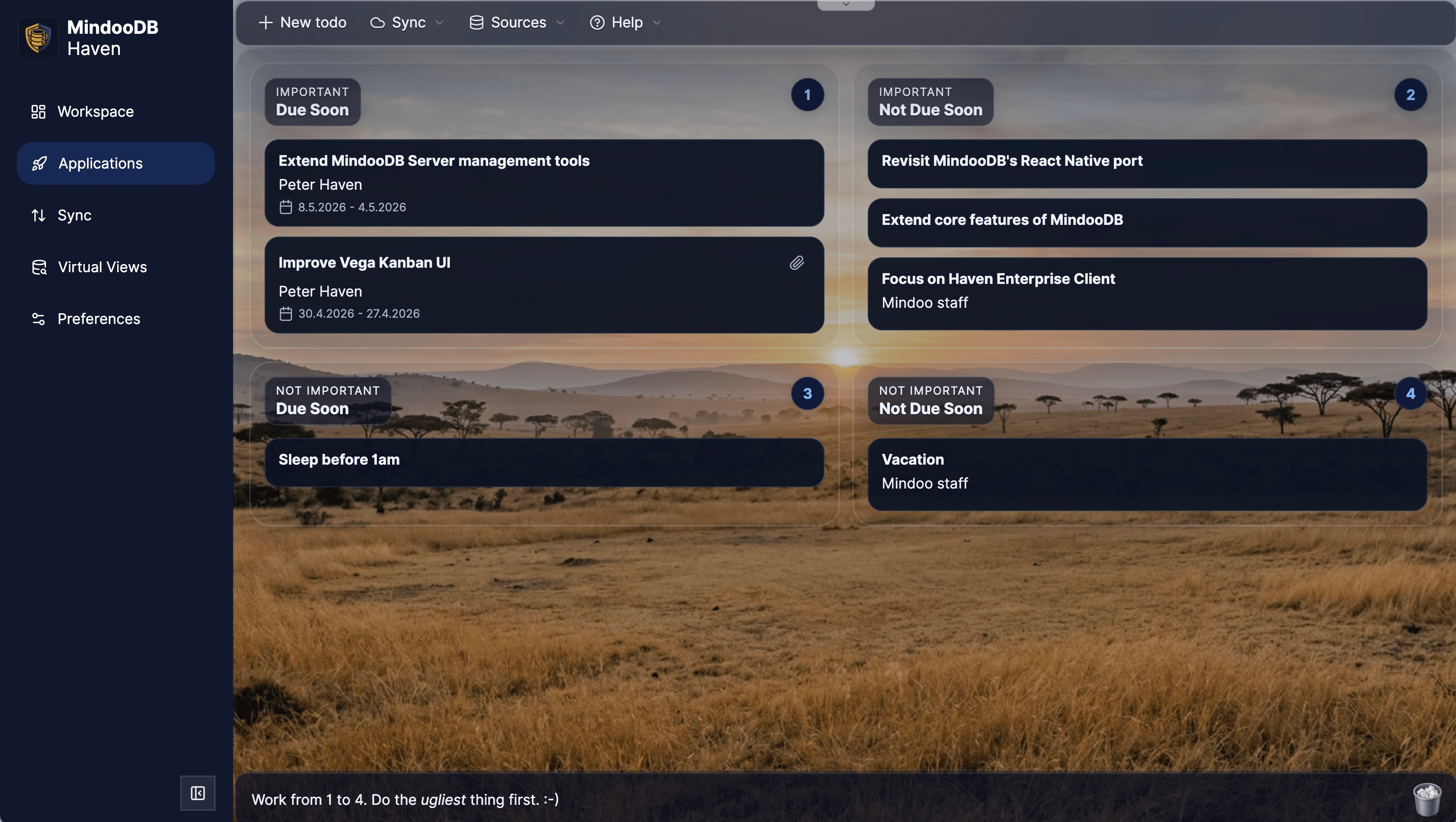
The same TodoManager workspace also ships with a polished dark theme that matches Haven.
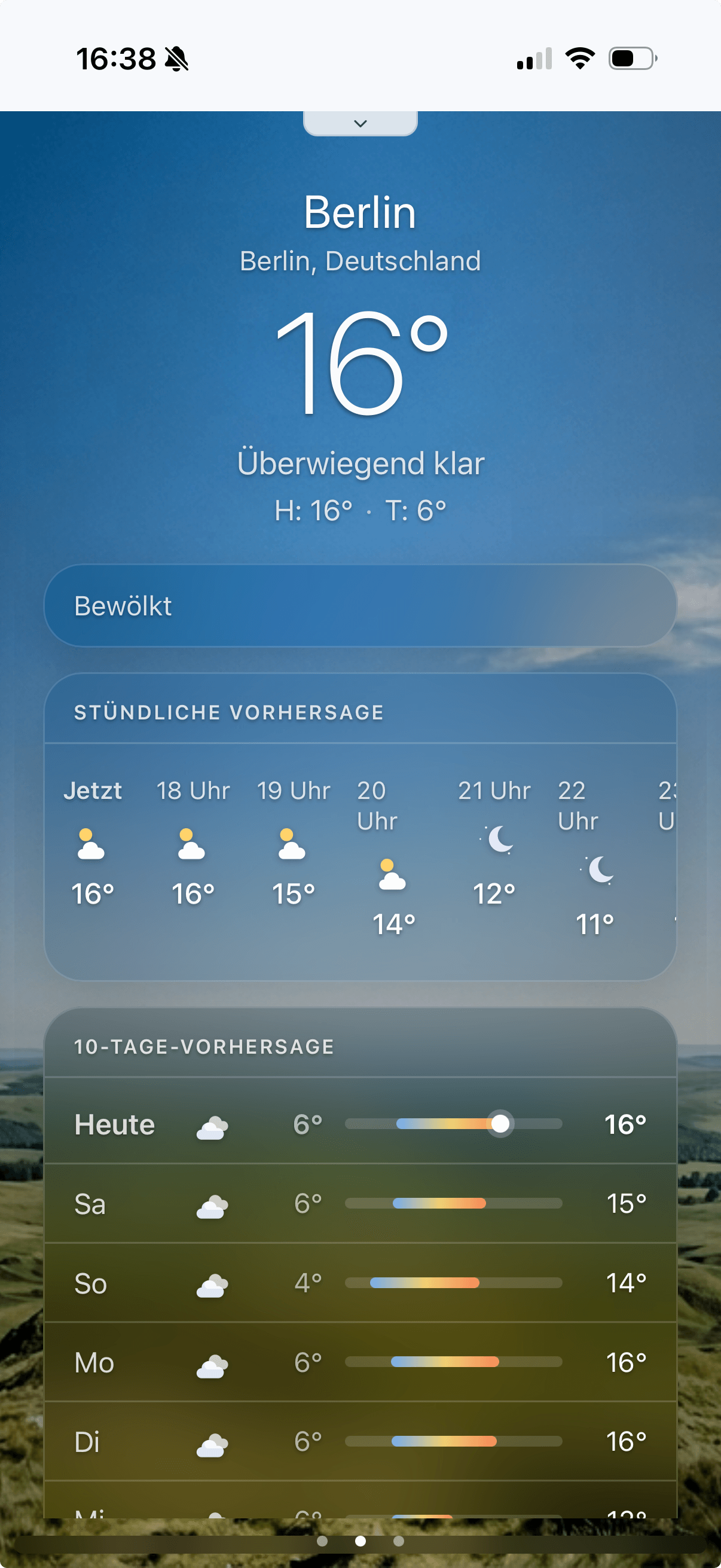
Mindoo Weather uses the Haven viewport to render an iOS-Weather-style experience that still feels native inside a workspace tile.
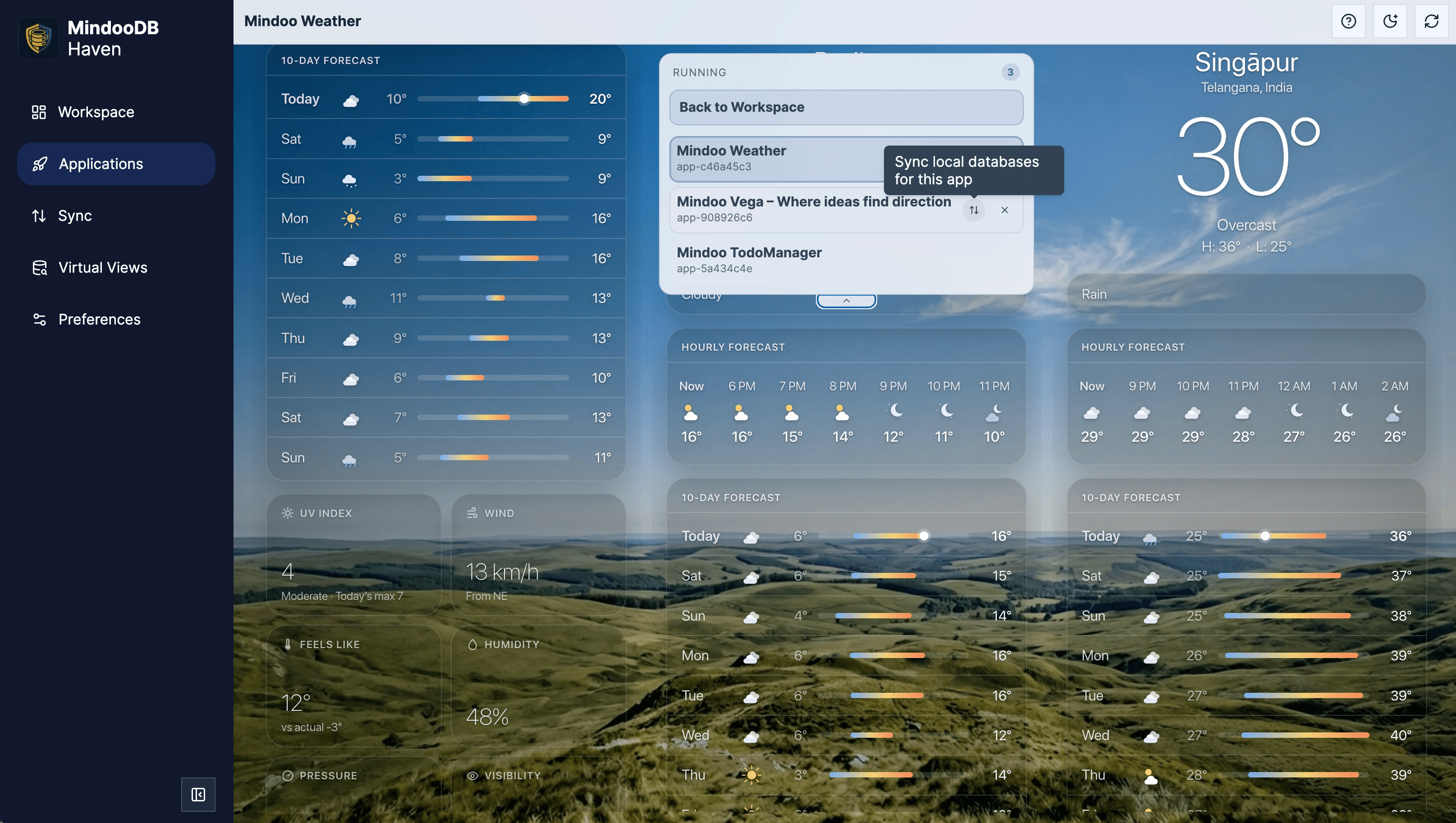
On wider screens, Mindoo Weather can stay open while the running-app switcher expands on top, so users can jump between active apps or trigger a sync of the local app database with a MindooDB server without leaving the current app view.
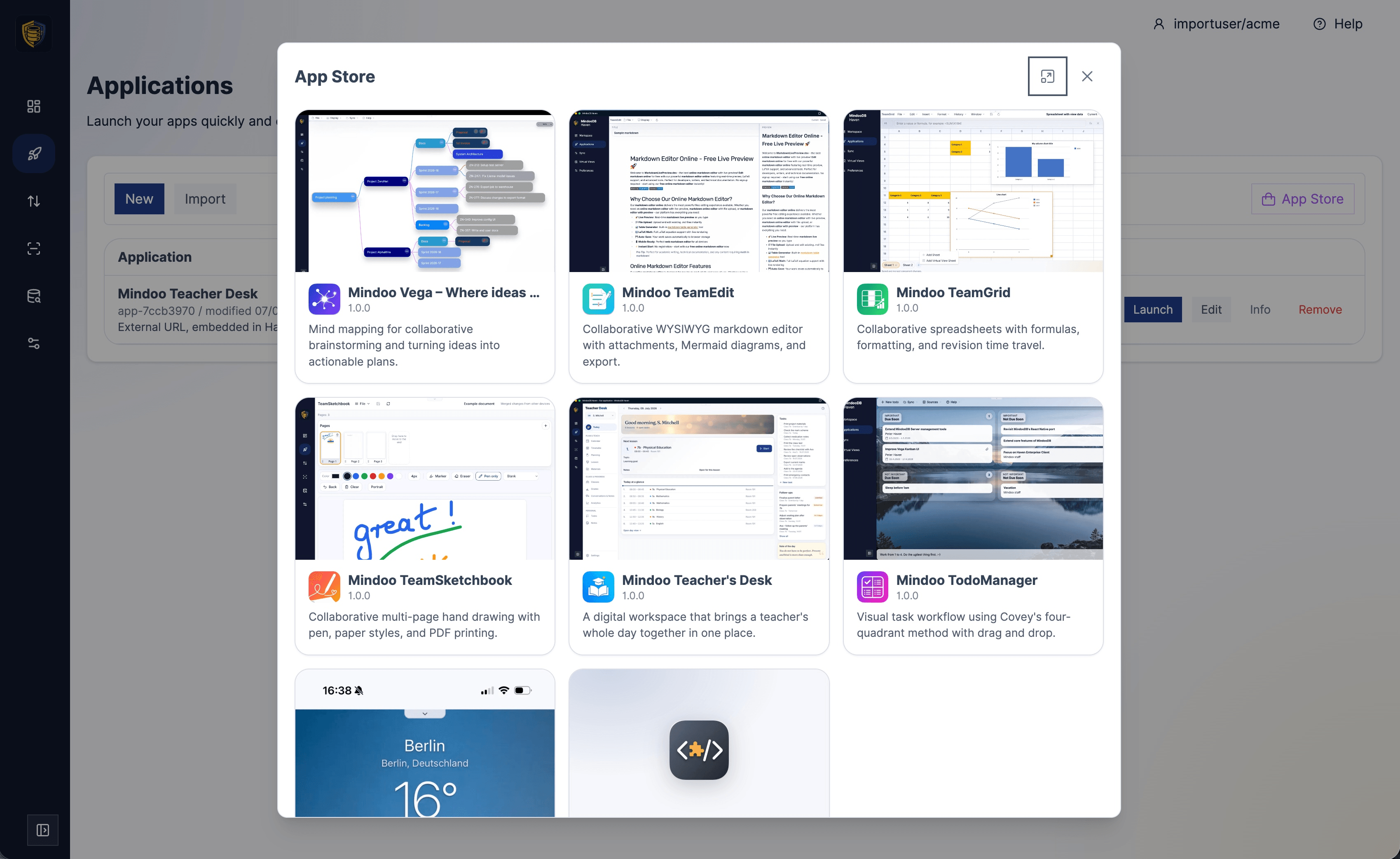
Haven ships with a built-in App Store: browse the catalog of MindooDB apps - Vega, TeamEdit, TeamGrid, TeamSketchbook, Teacher's Desk, TodoManager, and more - each with an icon, description, and one-click install.
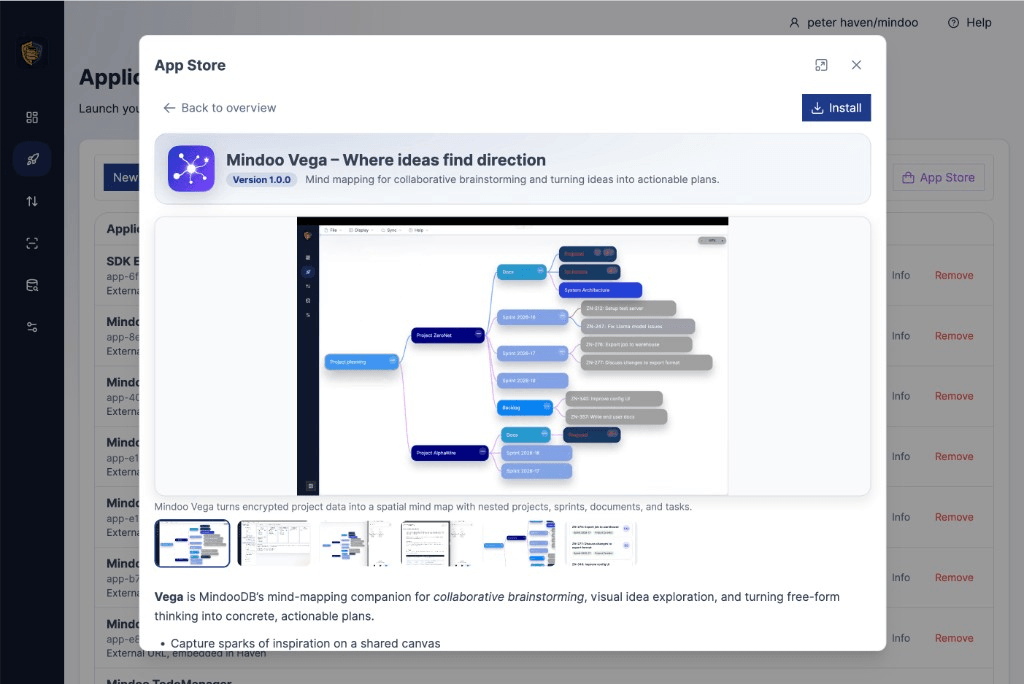
Each App Store entry opens a detail page with the app's screenshots, version, and full description, so users know exactly what an app does before adding it to their workspace.
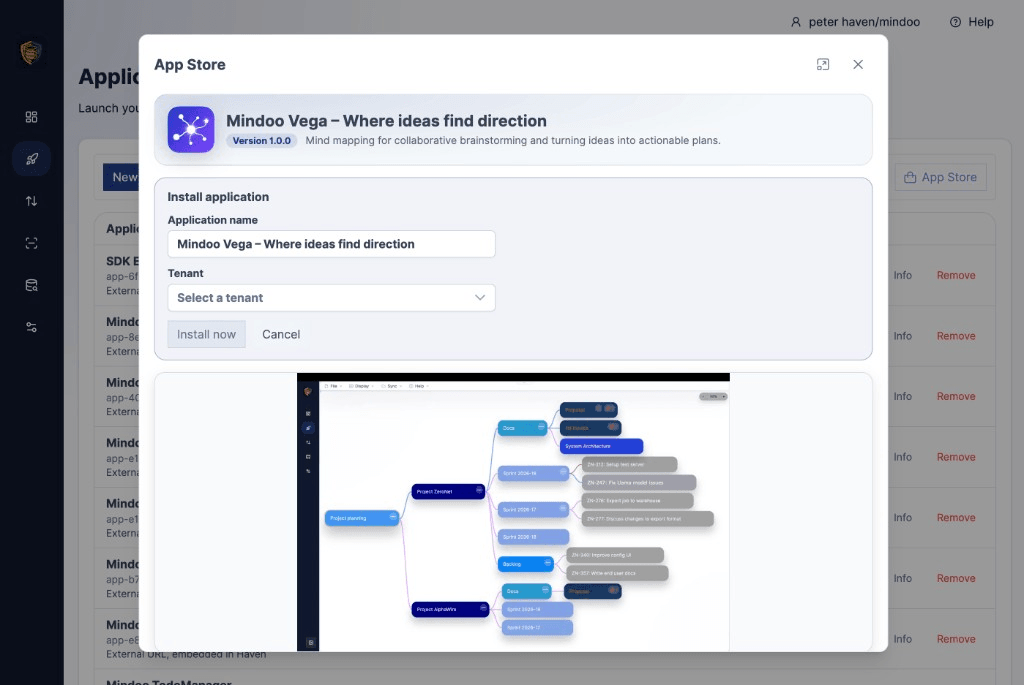
Installing an app is a single dialog: pick an application name and the tenant it should run in, then install - the app is embedded into Haven and ready to use.
Or point your own coding agent at the platform
The App Builder above does all of this for you, repository and hosting included. If you would rather stay in your own toolchain, every file a coding agent needs to write a MindooDB App is already published. Point your agent of choice at the following resources and it can scaffold real, working apps.
- /llms-full.txt - full platform context, including the MindooDB App SDK, Haven bridge, and server setup.
- /llms.txt - short index that lets an agent discover the rest.
- Open-source reference apps to fork: mindoodb-app-example (a guided tour of the SDK's database, view, and event APIs), mindoodb-app-weather (a beautiful, responsive tile focused on the UX side of the SDK - launch parameters, viewport events, theming), and mindoodb-app-teamgrid (a collaborative spreadsheet with formulas, charts, XLSX round-trip, and Virtual View Sheets that demonstrates the SDK's granular JSON patch API on a stable-ID grid).
- MindooDB App SDK README for the capability model and API surface.
Copy the prompt from the AI build prompt tab in the SDK code block above, drop it into Cursor, Claude, ChatGPT, or any other coding agent, and let it generate the app from the published context.
Describe it, build it, or let us deliver it
No coding required: write a brief and the builder creates the repository, the hosting, and the deployment, has an AI agent build it, and installs it in Haven. How it works.
Fork the example and use the typed SDK, or point your own coding agent at /llms-full.txt. Ship an externally hosted app or a Haven-hosted bundle.
Let the team behind Haven build the app with you. See professional services.