Karsten Lehmann 29 April 2026 23:13:00
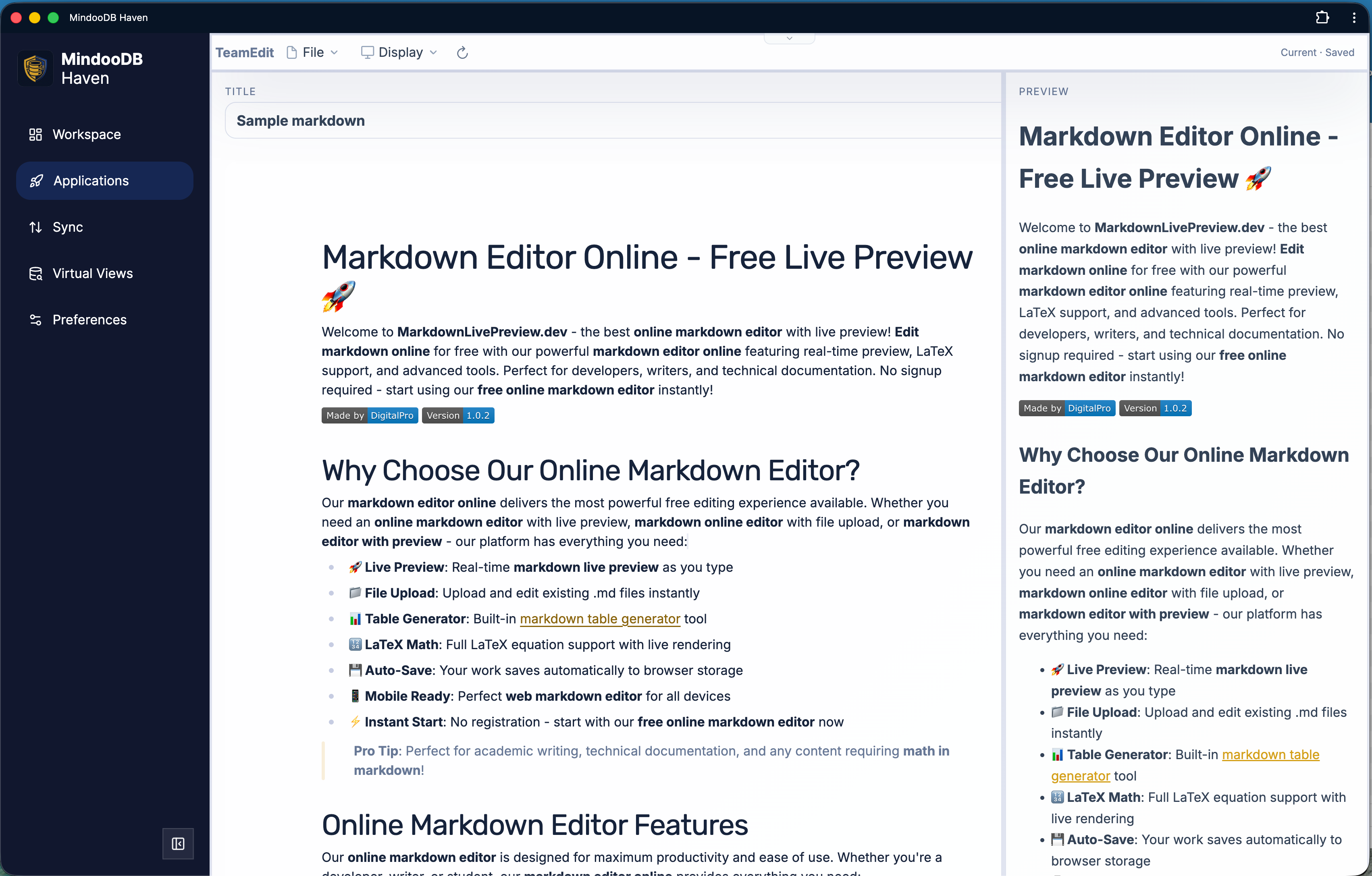
Today we published a new sample application for MindooDB Haven: Mindoo TeamEdit, a collaborative markdown editor, available as Open Source.
Two people open the same markdown document - one on a laptop on a train without network, the other at their office desk. Both keep editing offline, in their own paragraphs, in the same paragraph, even in the same sentence. When they sync, MindooDB merges their changes - inserts, deletions and reorderings - into a single document. No “your changes were overwritten” dialog, no manual conflict resolution. That is what the new text edit API in the MindooDB App SDK does, by leveraging the Automerge Text type - the proven CRDT primitive for collaborative string editing - underneath. TeamEdit is the first sample app in Haven to actually use it.
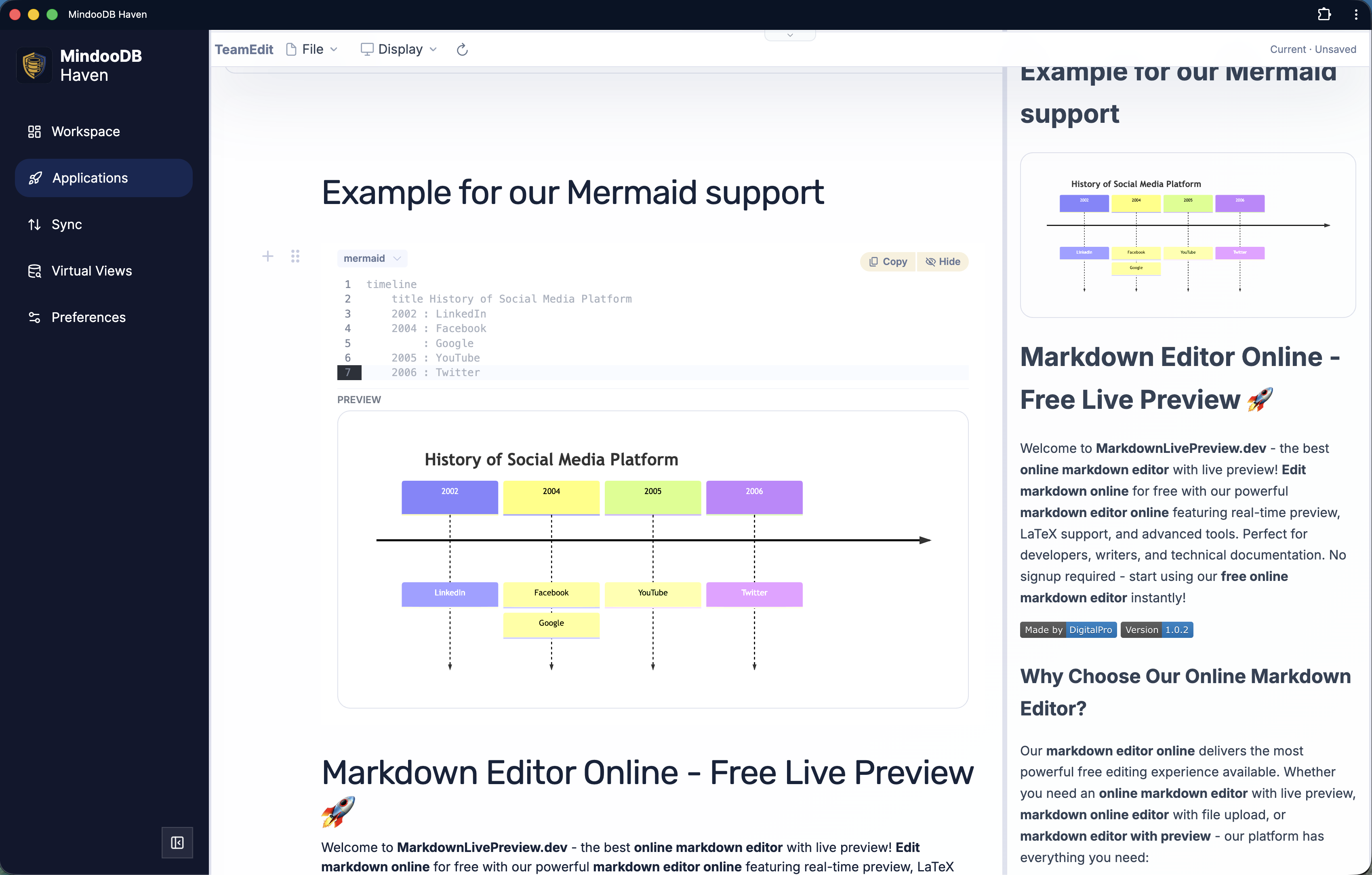
The editor itself is built on Milkdown / Crepe, with WYSIWYG markdown, attachment-backed images, Mermaid diagrams, LaTeX math, syntax highlighting, a print view, and ZIP export with attachments. Every save becomes a new revision in MindooDB’s append-only history, so you can flip back to any earlier version of a document - read-only, opened in the same editor - and compare it with what’s there now. Useful both for “what did I write last week?” and for forensically tracing how a paragraph got that way after several team members touched it.
The README walks through the integration step by step, so it doubles as a tutorial for building MindooDB apps that need granular collaborative text editing.
https://github.com/klehmann/mindoodb-app-teamedit
A bit more on how the text edit API works: apps never see Automerge directly. They send a small JSON patch describing splices into a JSON path together with the document version they were authored against; Haven applies and merges the splices against the real Automerge Text on its side. No Automerge runtime in the app bundle, no CRDT plumbing in the editor — and still proper character-level merging when two clients touch the same paragraph.
Two more SDK additions shipped along the way:
Custom document IDs. documents.create({ id, set }) now lets the app choose the document id instead of letting MindooDB generate a UUID7. Two practical reasons. First, migration projects from Notes/Domino or MongoDB environments where we want to keep the original document id so existing references and links keep working. Second, well-known documents like central configurations can be opened directly by id, without defining a virtual view or scanning the database. Combined with documents.list({ metadataOnly: true }), which returns just the document ids, a common id prefix becomes a quick way to find all documents of a given type.
Undelete. Implementing custom ids raised an obvious question: what happens if such a well-known document is deleted and accessed afterwards? That led to a more general feature - undelete support for any MindooDB document. A document can now be deleted and undeleted multiple times (kind of like a zombie, alive and dead :-) ). The DAG explorer in Haven shows each lifecycle change as its own node, including a new Undelete node, so the history stays auditable. As a nice side effect, calling documents.create({ id }) on a previously deleted custom-id document undeletes it and preserves the previous body - which makes “create-if-missing” safe to call on every app launch.
Historical attachments. Document history already returned stable revisionId values; attachments now accept the same revisionId as a read option. attachments.list, openReadStream, and openPreview then resolve from the historical _attachments array of that exact revision. This matters in practice because attachment blobs in MindooDB can grow by appending chunks: without a revisionId, a historical read would happily include bytes that did not exist yet at the point in time you are looking at.
All of this is part of the open source MindooDB App SDK and Haven. More details in the SDK README.