Karsten Lehmann 4 November 2026 09:00:00
MindooDB is an open-source (Apache 2.0), end-to-end encrypted, local-first document database. Until now you could use it from Node.js, from the browser and from React Native. From today there is a fourth way: a Kotlin client for the JVM, which you can also call from Java.
Why the JVM
A lot of software that companies depend on talks Java, and often only Java. ERP and document management systems, workflow engines, mail and directory servers, and platforms like HCL Domino come with Java APIs and sometimes nothing else. If MindooDB data is supposed to flow into such a system, or out of it, the integration has to run where that API runs: in a JVM.
There is a personal reason as well. At Mindoo we do customer projects in Kotlin and Java ourselves, and many developers we work with come from that world. They know Spring, Ktor, Gradle and coroutines, and they should not have to learn a new runtime before they can try an encrypted, local-first database.
Two components, one engine
The obvious way to support the JVM would have been a port: rewrite the engine in Kotlin. We decided against it. MindooDB’s core does a lot of careful work: signing and encrypting every change, CRDT merging with Automerge, access control with witness receipts, key distribution, the sync protocol. A second implementation would have to stay identical down to the last byte, forever, and every security fix would have to be made twice.
So the JVM support consists of two small pieces around the engine we already have:
- mindoodb-jvm-bridge, a Node.js sidecar that runs the real
mindoodbpackage. Each user session gets its own child process, which holds that user’s decrypted keys and on-disk replica, so the keys of different users never share memory. The sidecar only listens on loopback, needs a random bootstrap token from a file only your user can read, and checks a per-session token on every message. - mindoodb-kmp-client, a Kotlin library that talks to the sidecar over a WebSocket: JSON for calls and events, binary frames with flow control for attachments. Every call is a
suspendfunction or aFlow. From Java you wrap the calls you need in a few lines that returnCompletableFutures.
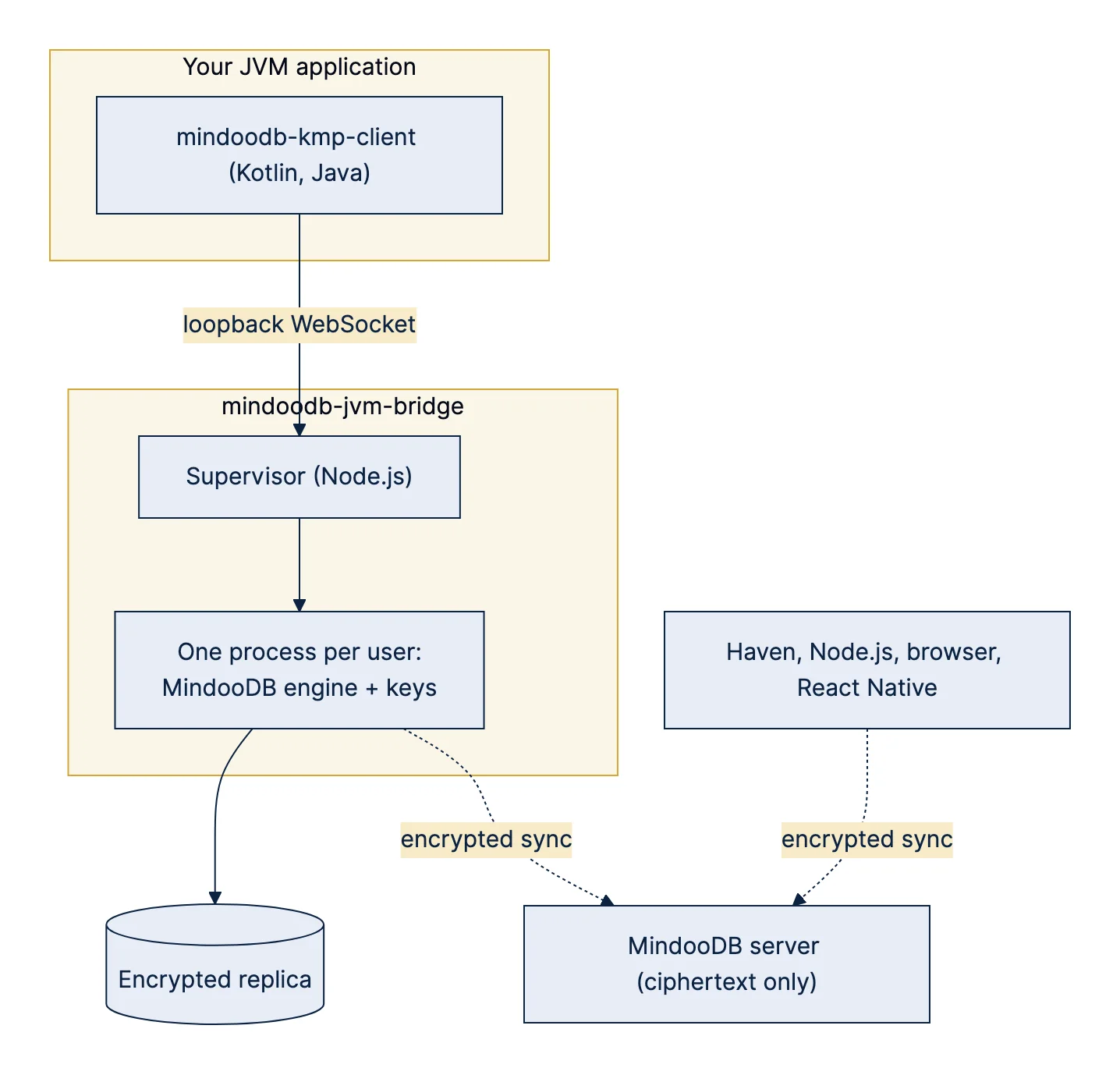
Because the JVM side drives the same engine, everything stays compatible. A tenant created from Kotlin can be opened in Haven, and a join request from Haven can be approved by a Kotlin backend.
What you can do from Kotlin and Java
- Tenants and users: create a tenant on your machine, publish it to a MindooDB server, let new users and devices join, and rename the tenant. The join flow shows the admin the key fingerprints of the joining device before approving, as Haven does.
- Sync: a background loop keeps the local replica in sync with the server, including attachments. You can sync now with one call and watch the progress of every push and pull.
- Documents: create, read, update and delete, with batch operations, history and time travel. Updates are merged at the version you read, so concurrent edits by other users are not lost. Field types work as in TypeScript: collaborative text, atomic strings, counters, timestamps, rich text with formatting, and text cursors.
- Attachments: streamed in both directions, with adapters for
InputStream. - Queries and views: the complete view language as a Kotlin DSL, live queries, full-text search, joins across databases, and virtual views with categories and totals, also across several databases.
- Incremental reads: read what changed since a stored cursor, page by page, with or without decrypting the documents. This is the building block for jobs that mirror MindooDB data into another system.
Here is what creating a tenant and writing a document looks like:
val sidecar = Sidecar.start(Paths.get("../mindoodb-jvm-bridge/dist/index.js"), Paths.get("./data"))
val created = MindooDBBridge.createTenant(
    sidecar.endpoint, tenantId = null, tenantLabel = "Acme",
    adminName = "cn=admin/o=acme", adminPassword = "…",
    userId = "cn=service/o=acme", password = "…", databases = listOf("orders"),
)
val session = MindooDBBridge.openSession(sidecar.endpoint, created.tenantId, "cn=service/o=acme", "…", listOf("orders"))
val orders = session.database("orders")

val order = orders.documents.create(mapOf("type" to "order", "customer" to "Contoso"))
orders.documents.update(order.id, baseHeads = order.heads) {
    setAtomic("status", "open")
    set("reminders", MindooValue.counter(0))
}
session.publishToServer("https://demo-server1.mindoodb.com", adminPassword = "…")
Getting started
The getting-started page on this website now has a fourth path next to Node.js, the browser and React Native: Kotlin & Java. It takes you from cloning the two projects to a running program that writes and reads an encrypted document.
For everything else there is a longer guide in the MindooDB repository: MindooDB for Kotlin and Java. It covers the field types, rich text, attachments, the view language with joins, virtual views, incremental reads, publishing and sync, the join flow, calling the client from Java, error handling and an operations checklist.
We also updated llms-full.txt, the file we keep for large language models. It now describes the Kotlin API next to the TypeScript one, so a coding assistant can write JVM code for MindooDB that follows our best practices: summary-based queries instead of loading every document, atomic strings for IDs and status values, joins instead of a query per row, stored cursors for incremental jobs.
Drink your own champagne
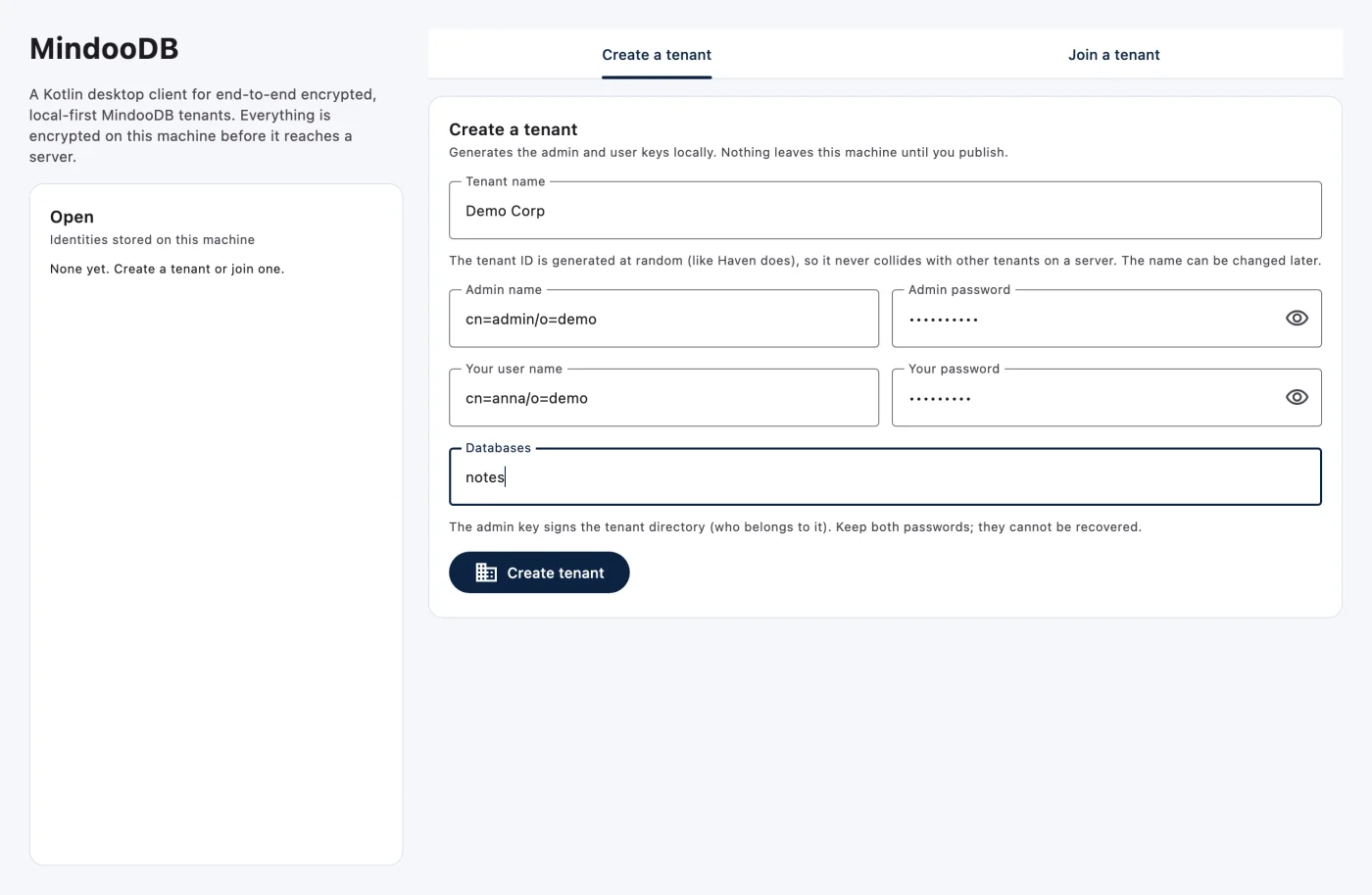
An API is only as good as what you can build with it. So we did what we always do and used it ourselves: we had a small Haven-like desktop client built in Kotlin with Compose Multiplatform, using nothing but the public Kotlin API and the new guide. The MindooDB Kotlin Demo creates tenants, publishes them to a server, adds users and devices, and lets you browse, edit and sync the documents.
You start by giving the tenant a name. The ID is generated at random, so tenants never collide on a shared server, and the keys are created on your machine:
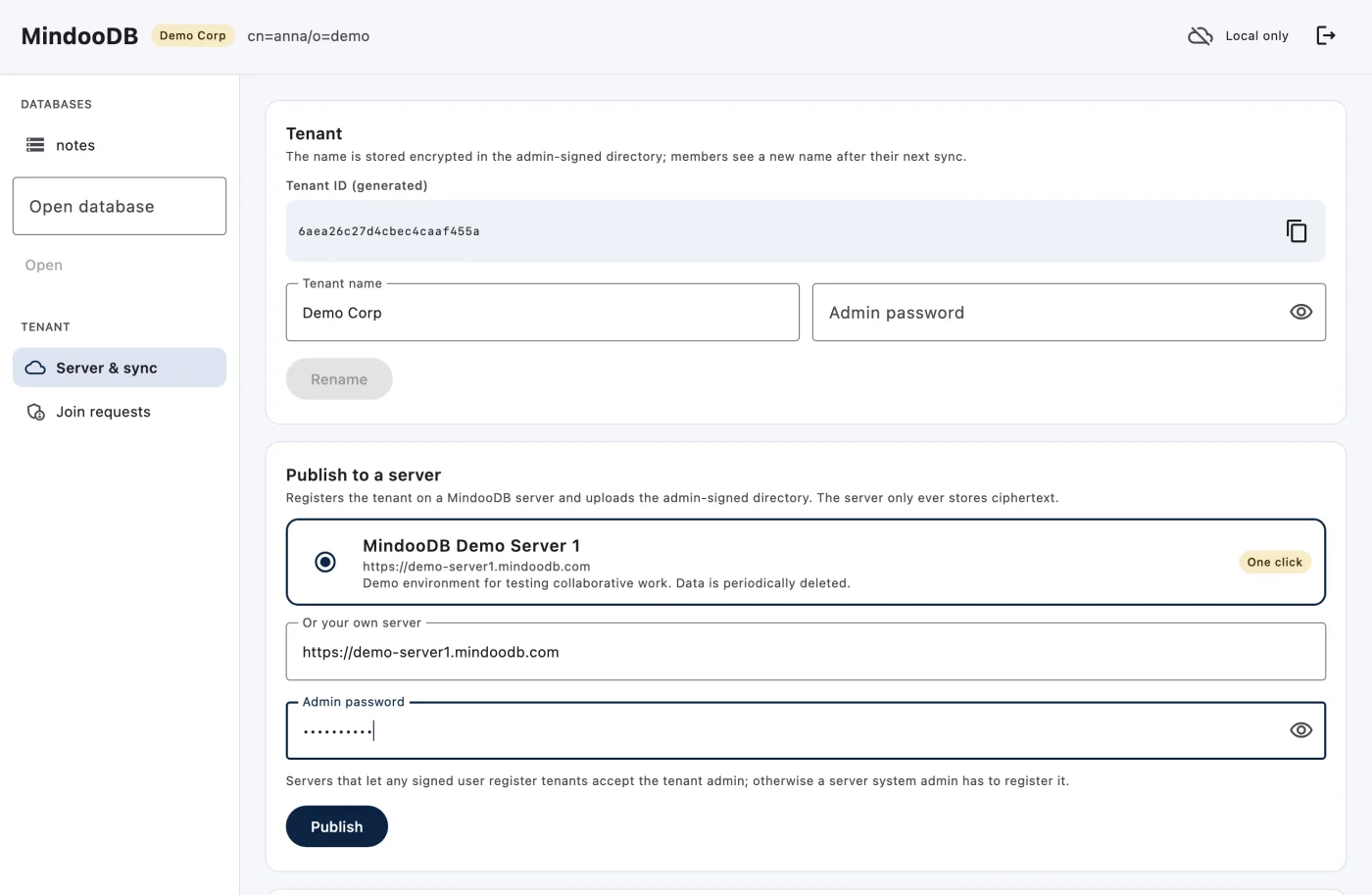
Publishing takes one click: the MindooDB demo server that Haven offers is preselected, and any other server works too.
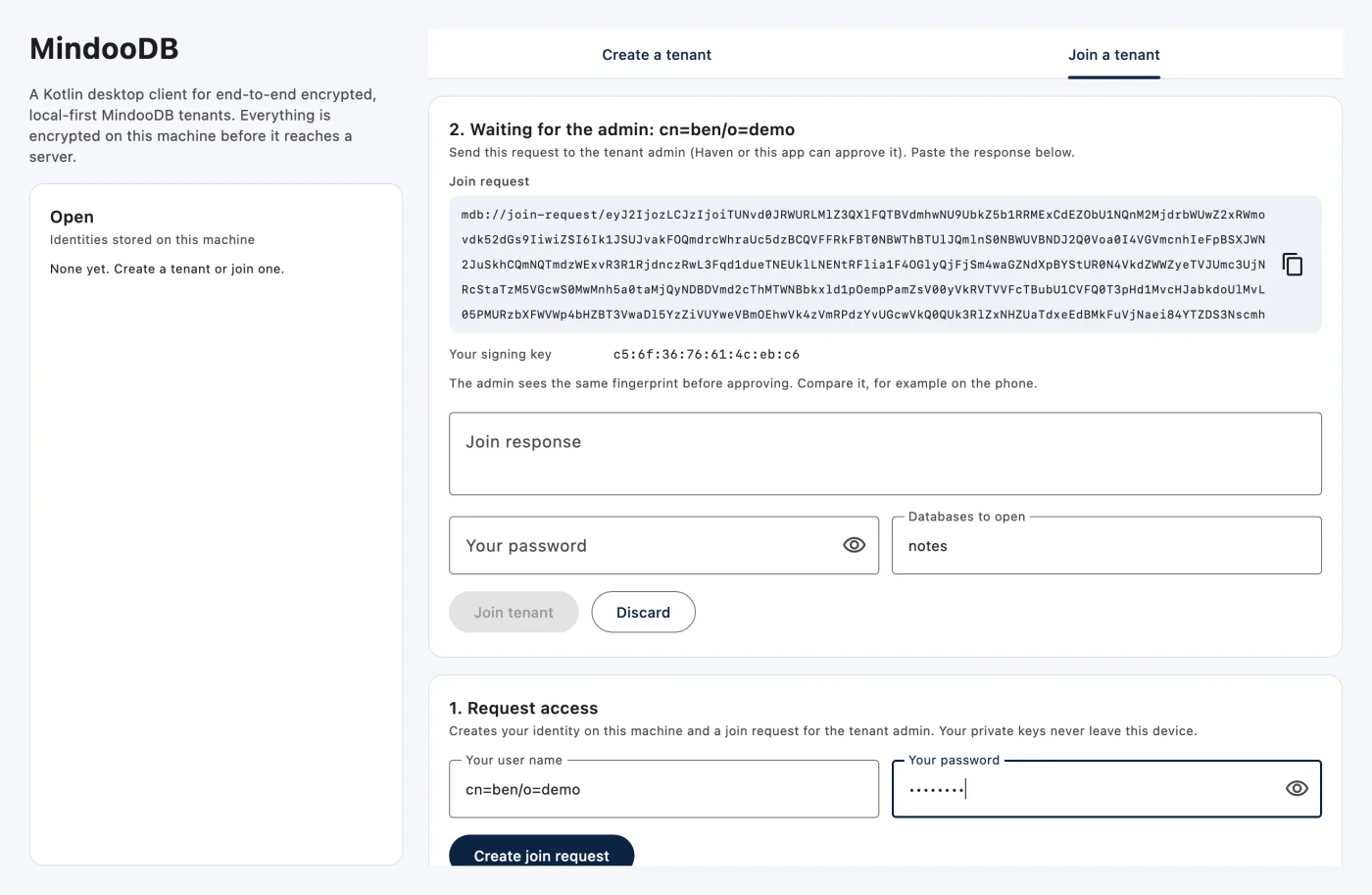
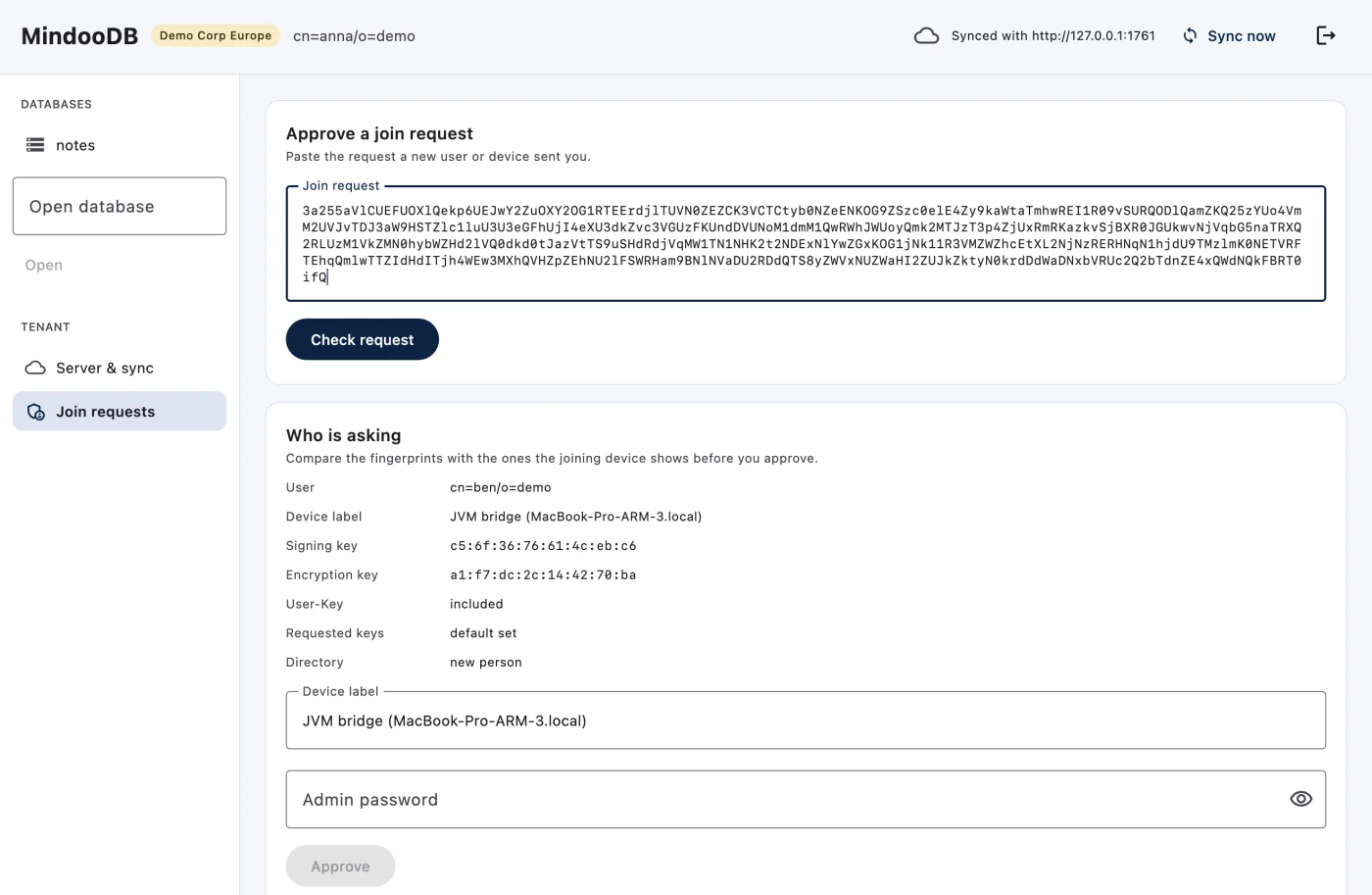
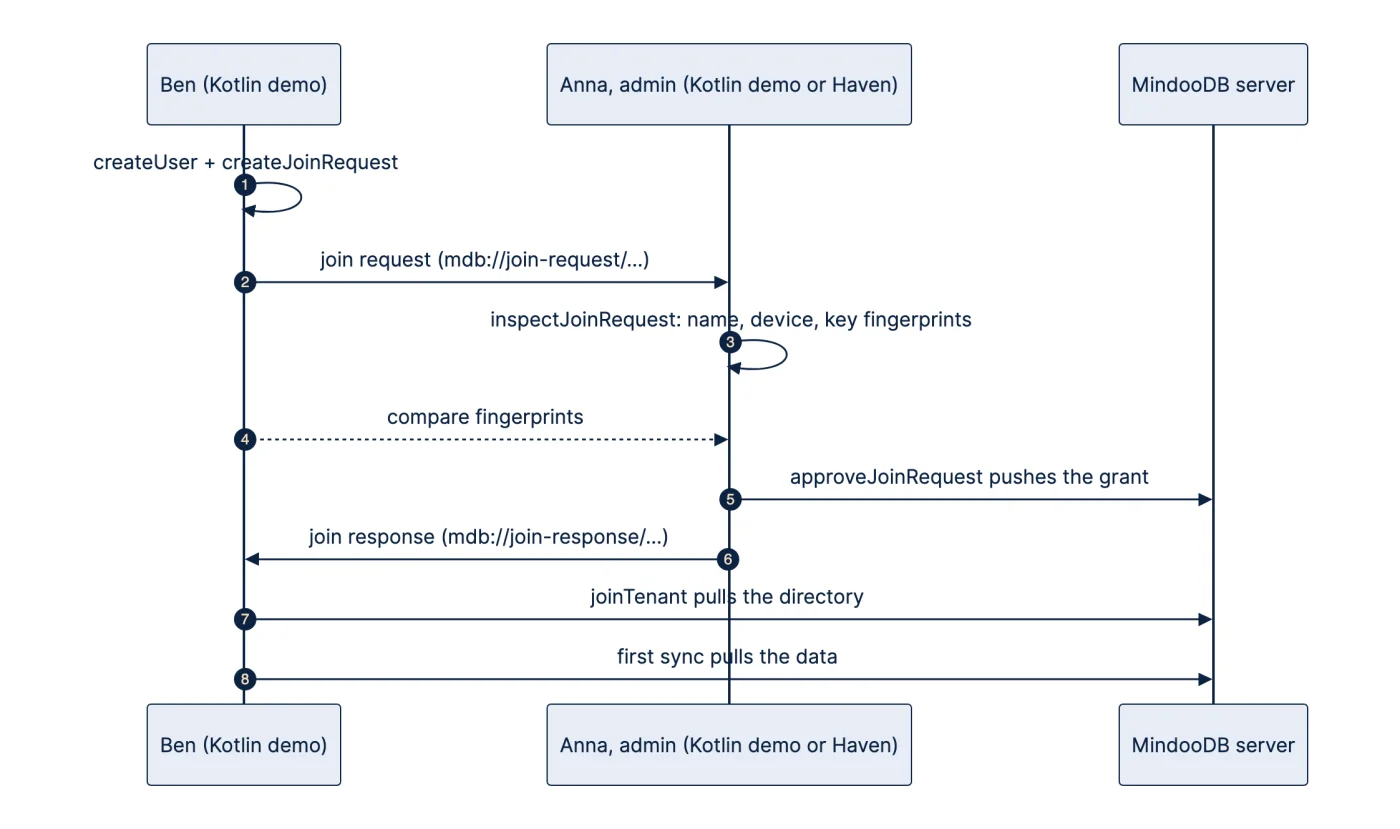
A second user requests access. Their private keys never leave their device; what they send to the admin is a join request with their public keys:
The admin pastes the request and sees who is asking, from which device, and with which keys, before approving. The fingerprint is the same one Ben’s window shows, so the two can compare it, for example on the phone:
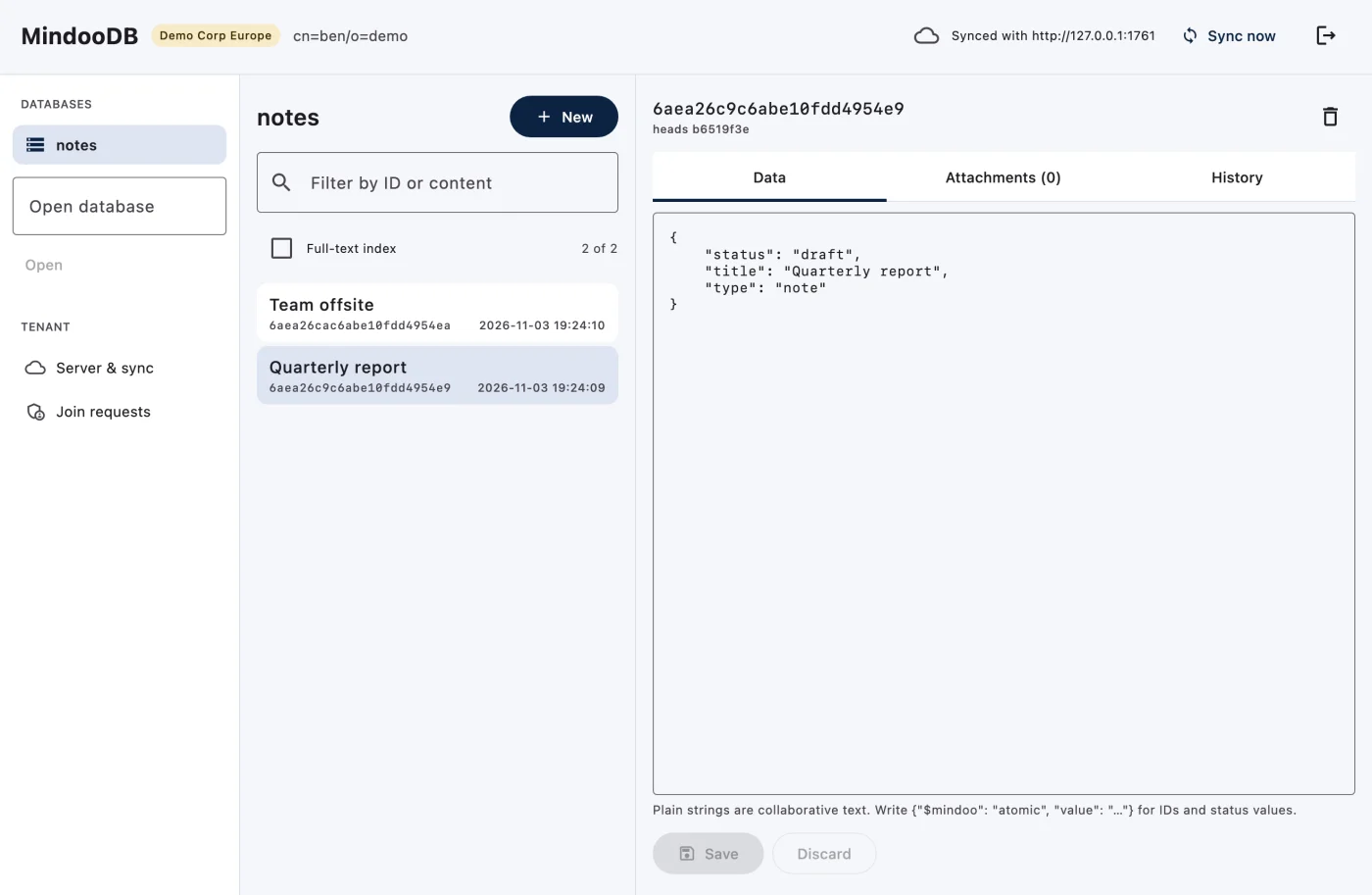
After joining, Ben’s first sync brings Anna’s documents. The list is a live query, so it follows every change, local or synced, and the editor saves changes against the version you edited:
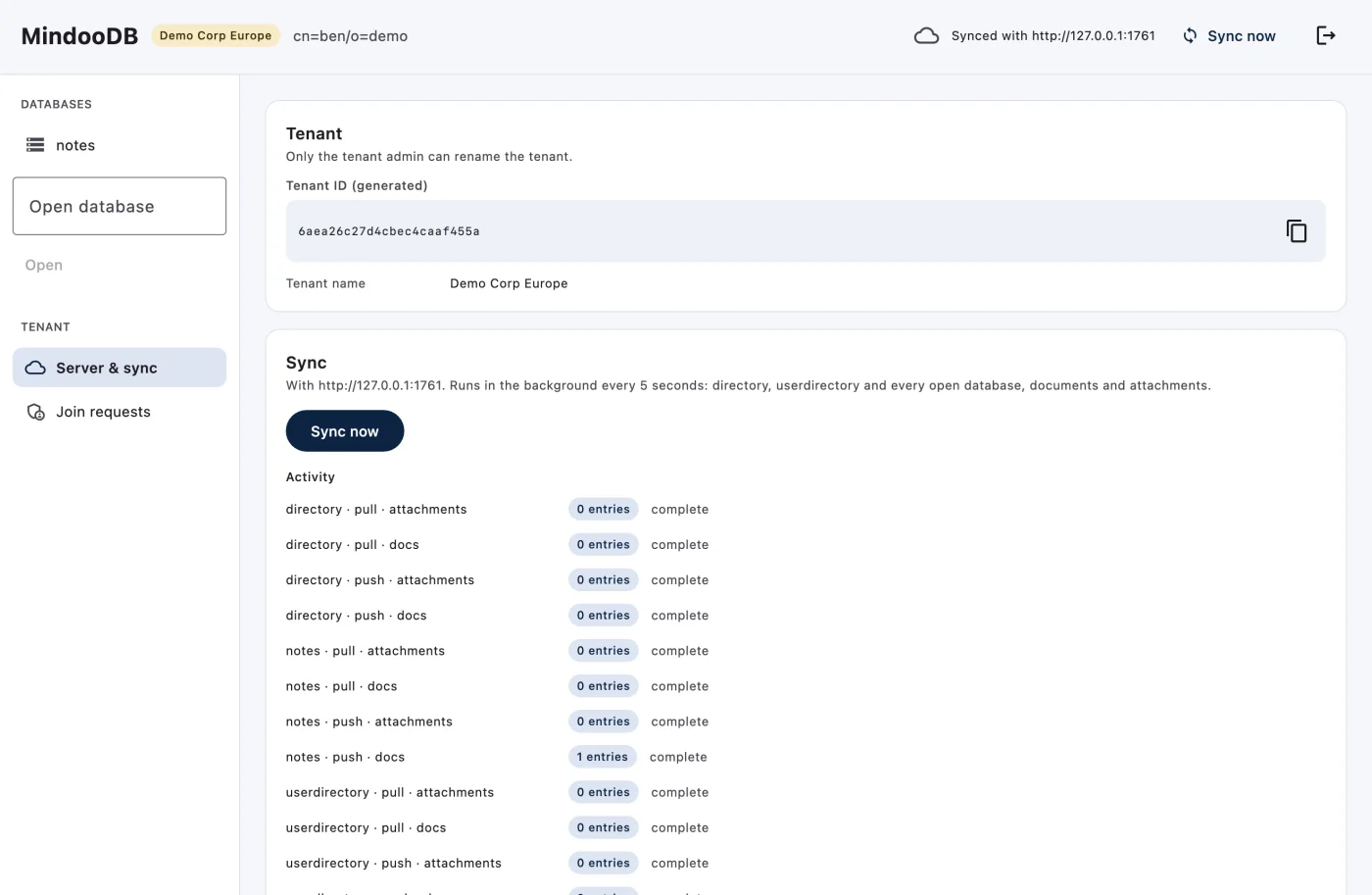
The sync page shows what moved for every database, push and pull, documents and attachments:
Building the demo was also a test of the API and the guide, and it turned up things we fixed right away: the joining device now shows its own key fingerprint for the comparison, tenant IDs are generated so they cannot collide on a shared server, and a bug in the sidecar made a document that appeared in several query results arrive empty after the first time. The demo also has a test that plays the whole flow through its user interface with two instances against a server, so it keeps working as the API grows.
Status
MindooDB and Haven are no longer beta. The Kotlin and Java client is new and still beta: its API may change while we gather feedback. Both projects build from source today; the sidecar installs with npm install, the Kotlin client as a Gradle included build. They are not on Maven Central or npm yet.
Try it
- Follow the Kotlin & Java getting-started path, or read the full guide.
- Run the demo app: two windows with different data folders are enough to play admin and new user, against the demo server or your own.
- The sources: mindoodb-kmp-client and mindoodb-jvm-bridge.
If you connect MindooDB to a Java system, I would like to hear which one, and what you needed that is not there yet.