Karsten Lehmann 11 July 2026 15:04:00
So far in this series I have written about the plumbing - governance, instant search, full-text search and scanning. All of that exists so you can do things in Haven, and the things you do are apps. So let’s talk about how apps get into Haven, because that just got dramatically simpler.
A store, right inside your workspace
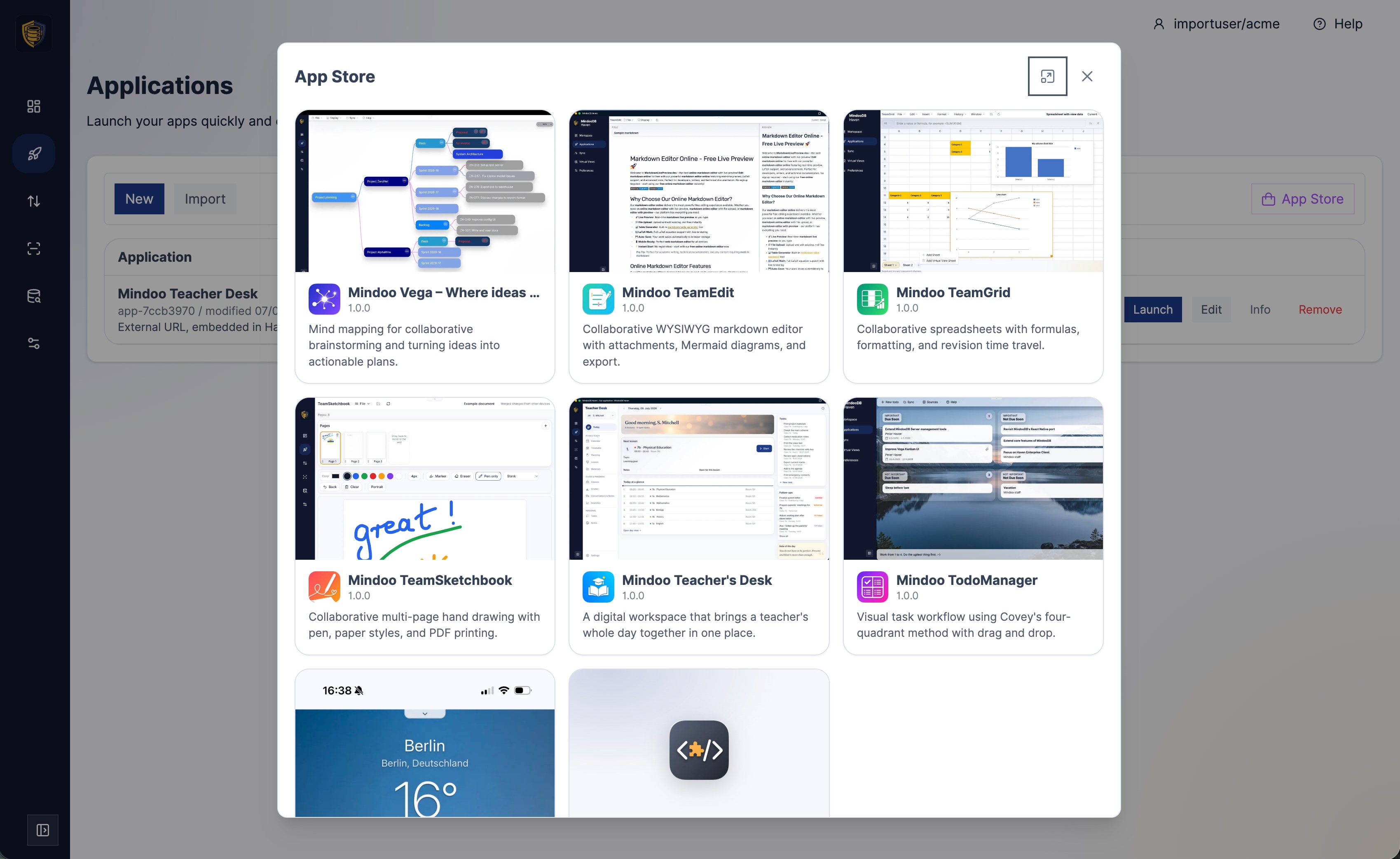
Open the Applications page in Haven and you will find a new button that opens the built-in App Store. It looks and feels like the app store on your phone: a tidy grid of applications, each with its own icon, a short description of what it does, and screenshots you can flip through before deciding.
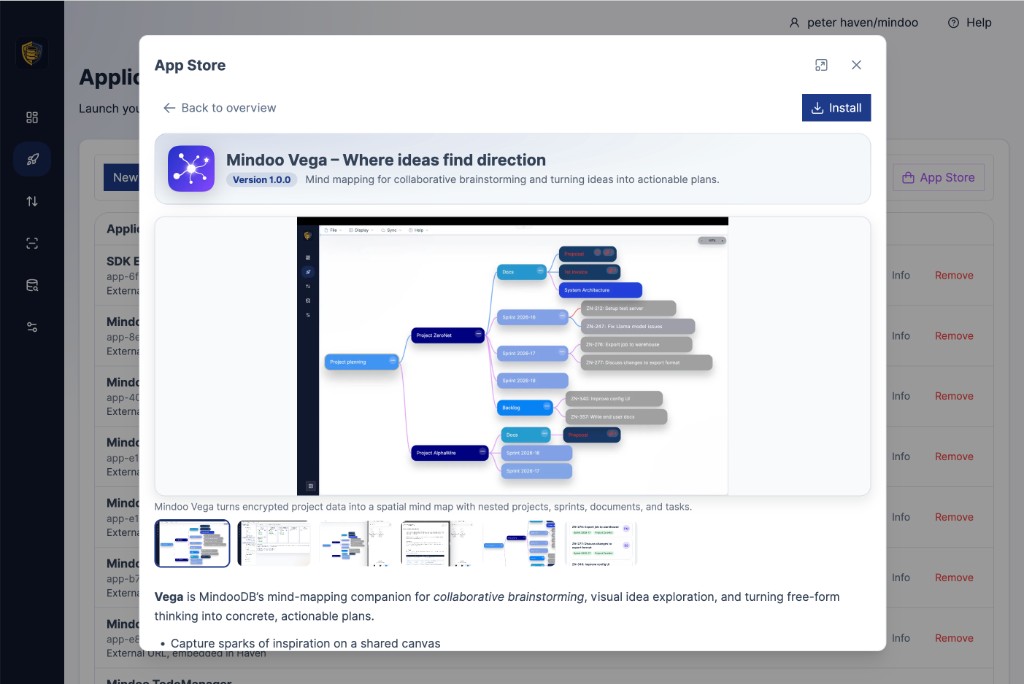
Click into any app and you get a proper detail page - a bigger description, a gallery of screenshots, and an Install button. No hunting for a link, no copy-pasting a configuration, no reading a setup guide. You can see what an app is before you commit to it, exactly the way you would expect.
Installing is genuinely one step
Press Install and Haven asks the one question that actually matters: which tenant should store this app’s data? You give the installation a name, pick the tenant, and confirm. That’s it - the app is registered, wired up to a place to keep its data, and ready to open.
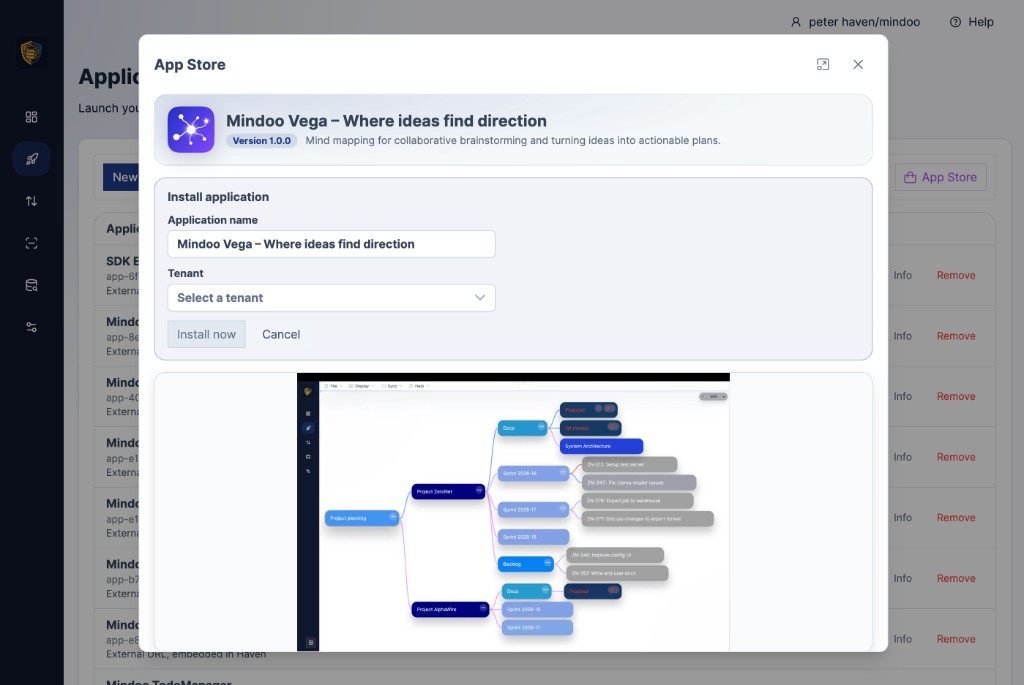
Choosing the tenant at install time is a small touch that matters a lot in Haven, because Haven is properly multi-tenant. You might install the same app once into your private tenant and once into a tenant you share with colleagues, keeping personal and shared data cleanly apart. The store makes that a deliberate, obvious choice rather than something you have to know to configure.
The same catalogue behind our sample apps
Everything we have shipped as a sample app now lives in this store: Mindoo Vega for mind-mapping, Mindoo TeamEdit for collaborative Markdown and Word documents, Mindoo TeamGrid for spreadsheets, Mindoo TodoManager, the new Mindoo TeamSketchbook, and the Teacher’s Desk app I will write about in the next posts. Trying any of them is now a matter of opening the store and pressing Install, instead of following a tutorial.
Your own store, for your own apps
There is a quieter feature here that organisations will appreciate. The App Store is really just a catalogue, and a company can point its Haven deployment at its own catalogue of internal apps. So the same friendly “browse, read, install” experience your team uses for our sample apps can list the line-of-business apps you build yourselves - onboarding a colleague to an internal tool becomes as easy as installing anything else. If you build on the MindooDB App SDK, your app can sit in that catalogue right next to ours.
Now in eight languages
One more thing that widens the door. Because our new Teacher’s Desk app ships in eight languages, it made sense to bring Haven itself up to the same level. Haven’s interface is now available in English, German, French, Spanish, Italian, Dutch, Norwegian and Polish - so a lot more teams get the whole experience, from the App Store to the workspace, in their own language.
Why it matters
The distance between “I heard Haven can do X” and “I am now doing X” used to include a setup step, and setup steps are where curiosity goes to die. The App Store removes that step. Browse, read, look at the screenshots, pick a tenant, click once - and you are using the app. That is the right amount of friction for trying something new, which is to say: almost none.
In the next post I will show one of the apps you can install this way - Mindoo TeamSketchbook, our new open-source collaborative drawing app for tablets and pens.