Karsten Lehmann 11 July 2026 15:05:00
In the last post I showed the new App Store. Here is one of the apps waiting in it - and it is a fun one.
Mindoo TeamSketchbook is a collaborative sketchbook and infinite canvas for visual teamwork. It is the drawing companion to our text and spreadsheet apps: where TeamEdit is for writing and TeamGrid is for numbers, TeamSketchbook is for the things you draw by hand - a quick diagram, a floor plan, a brainstorm mural, a doodle that turns into an idea.
A proper sketchbook, made for pens
A sketchbook has as many pages as you like, and every page is its own drawing surface. You get a pressure-sensitive pen, a marker and an eraser, sticky notes that carry their ink with them, and a floating tool panel. Every page can use a different paper - blank, squared, lined, dotted, a Cornell layout for notes, two columns, music staves, or a coordinate grid - and can be turned to portrait or landscape depending on what you are drawing. Prefer one big surface? Open an infinite canvas instead, and pan and pinch around a brainstorm that has no page edges.
Behind the scenes we keep this scalable by design: the sketchbook itself is one small document that simply lists its pages, and each page is stored as its own separate document. That means opening a notebook doesn’t have to load every page at once, so a fat sketchbook stays as quick and light as a fresh one.
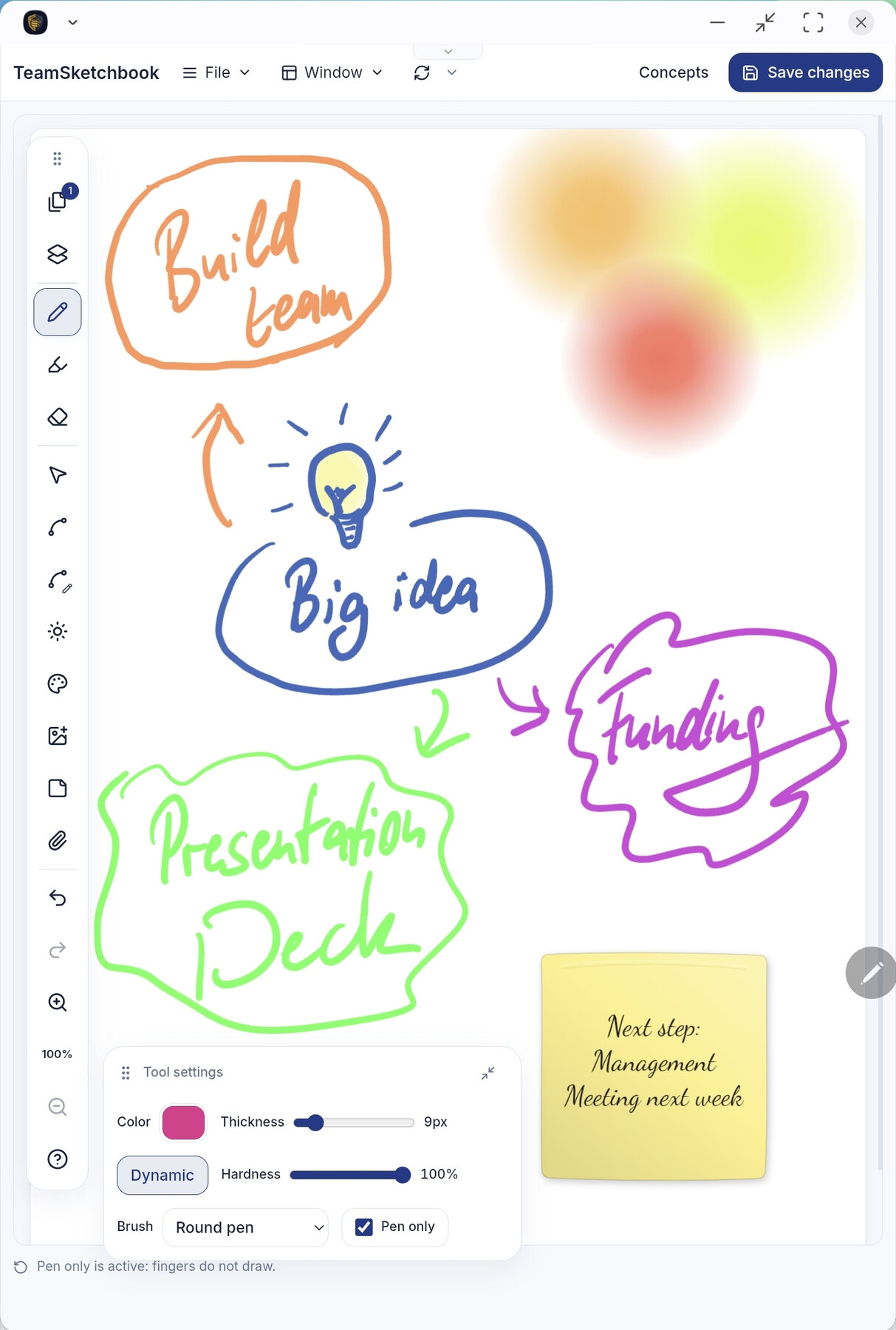
It is built first and foremost for tablets with a stylus - the Apple Pencil, the S-Pen on Samsung Galaxy tablets - and there is a “pen only” mode so your hand can rest on the screen without leaving stray marks. But it works just as well with a plain mouse or with touch, so you don’t need special hardware to try it.
Import a PDF or a GoodNotes notebook, pick the pages you want, and annotate them in place. When you are ready to show the room, switch to Presentation mode from the Window menu - flip pages like a deck, point with a laser, and live collaborator ink still appears while you talk. Finished canvases can even print as a tiled wall poster, with glue-overlap strips so the seams line up.
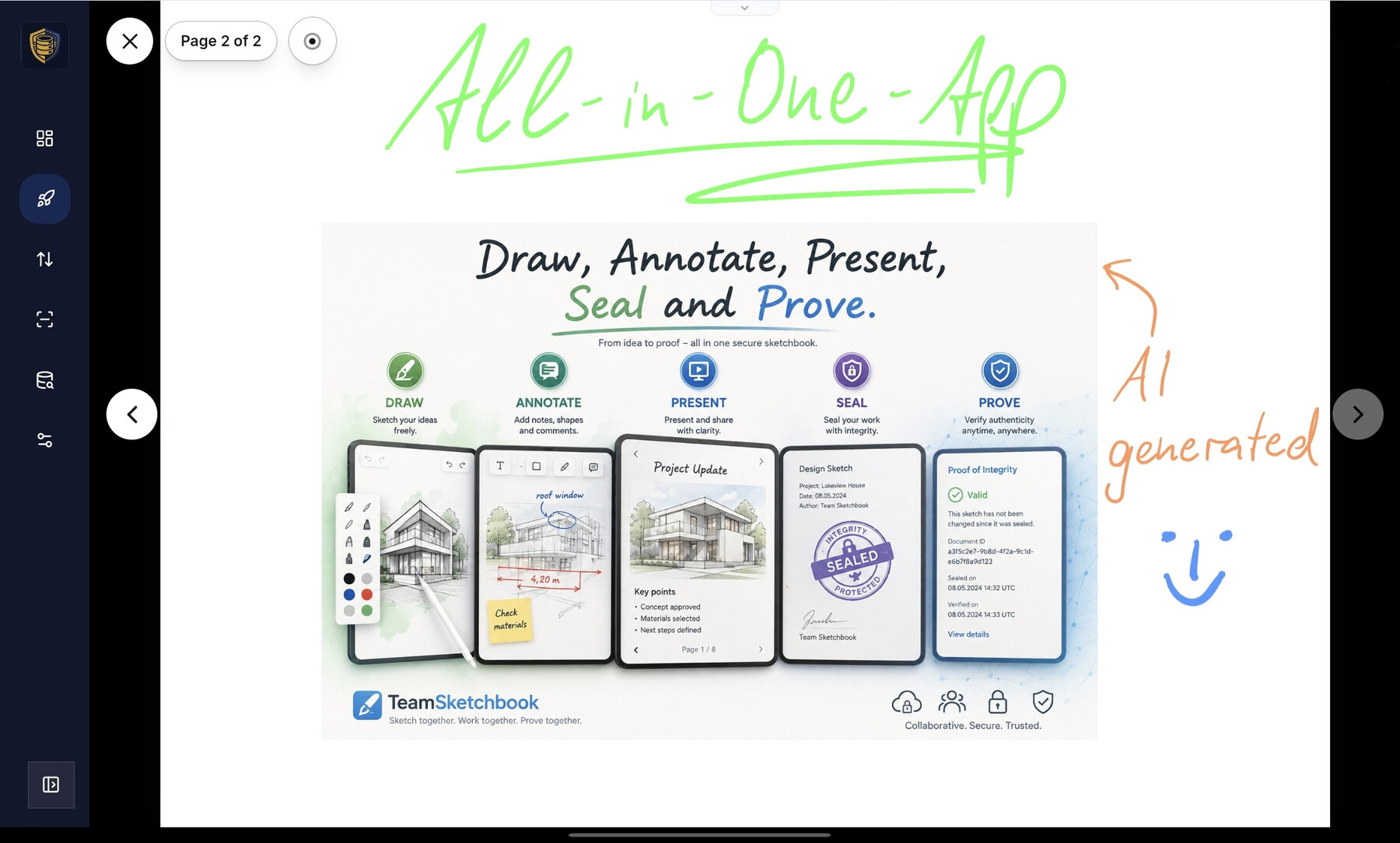
One detail matters more than it looks: your drawing is stored as the actual strokes you drew, not as a flattened picture. That is what makes the next part possible.
Two people, one sketchbook, no conflicts
Because TeamSketchbook is built on MindooDB, a sketchbook is not a file that one person locks and everyone else waits for. Two people can open the same sketchbook on different devices - a teacher on a classroom tablet, a colleague on a laptop - and both keep drawing. When they sync, their strokes are merged together into one drawing. Nobody’s lines get thrown away, and there is no “your changes were overwritten” dialog.
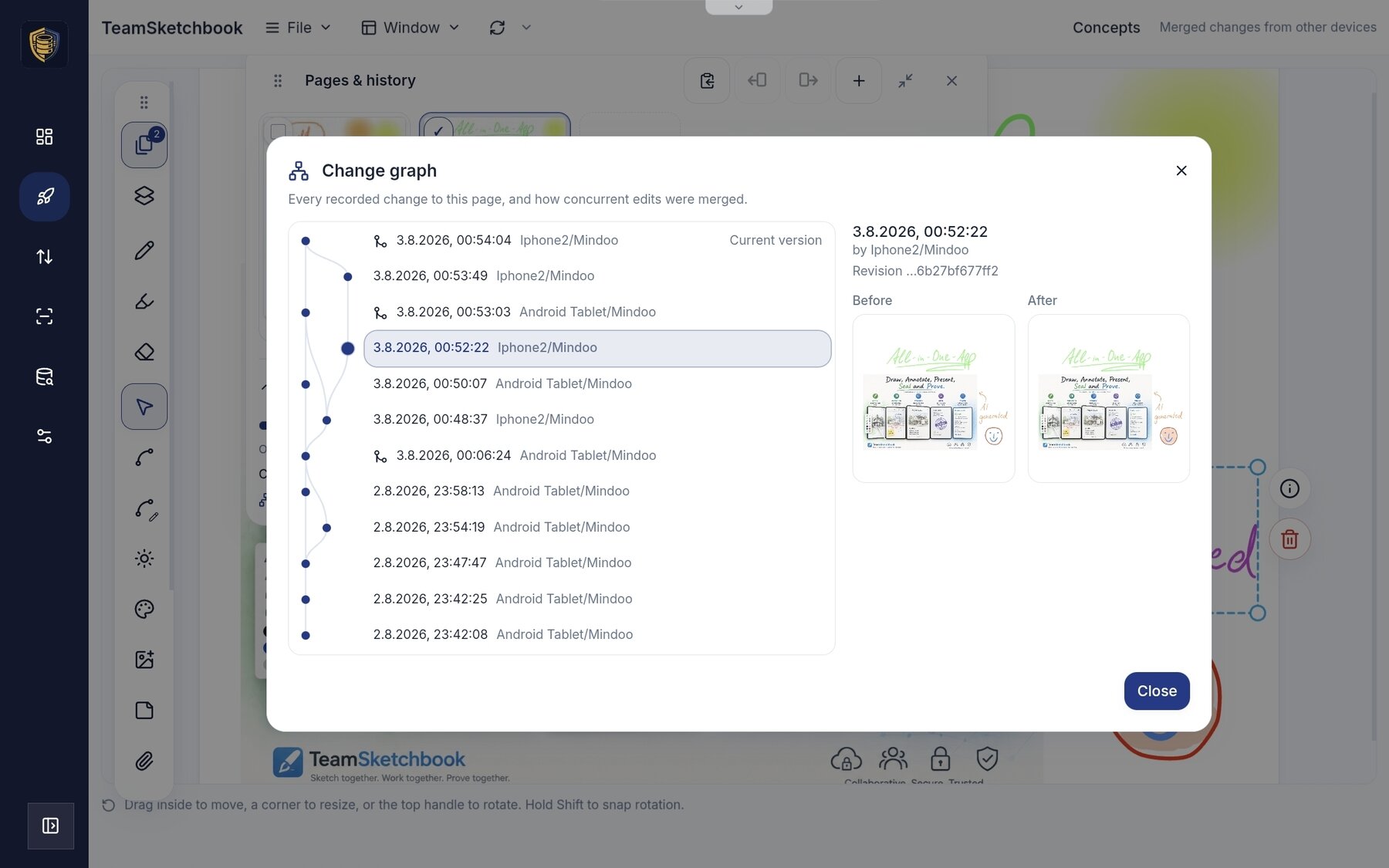
The way it achieves that is the same quiet trick behind our other collaborative apps: instead of saving the whole picture every time, each individual stroke is saved as a tiny change. When two people’s changes meet, MindooDB weaves the separate strokes into the same page rather than making one version win. You can see it acknowledged in the app itself - a small “merged changes from other devices” note appears when someone else’s work has just been folded in, and the change graph shows what each device contributed.
And of course it works offline. Draw on a train with no signal; the strokes are safely stored on your device and merge in with everyone else’s the next time you connect.
Nothing is ever lost
Every save becomes a new entry in the sketchbook’s history, so you can open a revision list and flip back to any earlier version of a drawing, read-only, and compare it with where things are now - side by side, or with a reveal slider across aligned pages. Because MindooDB never overwrites the past, “undo, but from last Tuesday” is just there. It is the same append-only history that powers time travel across the rest of Haven, applied to your drawings.
Where the drawing stack came from
The whole drawing stack came out of our Teacher’s Desk app (more on that in the next post), which is exactly the kind of reuse the App SDK is meant to make easy: one shared canvas engine powering both a teacher’s day-to-day notes and a full team sketchbook.
How to get it
Open the App Store on Haven’s Applications page, find Mindoo TeamSketchbook, and click Install - pick a tenant to store your sketchbooks in, and start drawing. A full tour with screenshots and more detail is on the product site: teamsketchbook.com.
Next in the series, the app that all of this drawing code originally came from - and the biggest thing we have built on Haven so far: Mindoo Teacher’s Desk.